Skip to content
Demos Lab
  • p5.js
  • TouchDesigner
  • Generative Art
  • Installations
  • Physical Computing
  • Tools
  • Media Art
  • About

Creative Coding Tools for Artists and Makers

Creative coding tools turn code into a medium for images, sound and interaction. This hub compares the frameworks, visual programming environments and game engines that artists, designers and developers use to build generative visuals, installations and live performances. It also explains how to set each one up without losing a weekend to configuration.

What you'll find here

C++ frameworks

Guides to openFrameworks and Cinder for artists who need raw performance, direct hardware access and fine control over OpenGL rendering.

Browser-based 3D

Practical coverage of three.js, the JavaScript library that brings WebGL scenes, custom shaders and interactive 3D work to any modern browser.

Visual patching environments

Breakdowns of Max/MSP and vvvv, node-based tools that let you wire audio, video and sensor data together in real time without writing traditional code.

Engines, IDEs and setup

Advice on using Unity and Unreal as artist tools, plus choosing an editor, configuring compilers and organising projects so your creative coding workflow stays fast.

Home » Creative Coding Tools
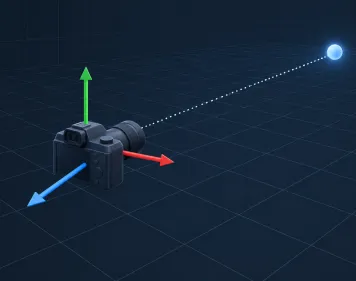
3D Camera LookAt Hero
November 9, 2026 by Demos Lab Editorial Team
Creative Coding Tools

Aiming a 3D Camera with lookAt and Understanding the View Frustum

Every lookAt function, from three.js to Roblox, takes the same three inputs: where the camera is, the point it should face, and a rough…

Read article →
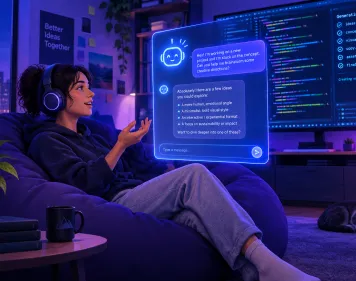
Vibe Coding Hero
October 24, 2026 by Demos Lab Editorial Team
Creative Coding Tools

Vibe Coding and What It Means for Creative Coders

Vibe coding means building software by describing what you want to an AI model in plain language, running whatever code comes back, and steering…

Read article →
Latest experiments

  • Depth Testing Hero
    Depth Testing in the Graphics Pipeline Explained
  • 3D Camera LookAt Hero
    Aiming a 3D Camera with lookAt and Understanding the View Frustum
  • TouchDesigner DAT Node Hero
    What a DAT Is in TouchDesigner and What DAT Stands For
  • Analog Joystick Hero
    Analog Joysticks Explained for Custom Controllers and Arduino
  • Multimedia Artwork Hero
    What Makes a Multimedia Artwork and How It Uses Each Element

Sections

  • Creative Coding Tools (2)
  • Generative Art & Shaders (3)
  • Installations & Projection (1)
  • New Media Art (2)
  • p5.js & Processing (2)
  • Physical Computing (2)
  • TouchDesigner (2)

Demos Lab

Creative coding and interactive media art

Sections

  • Creative Coding Tools
  • Generative Art & Shaders
  • Installations & Projection
  • New Media Art
  • p5.js & Processing
  • Physical Computing
  • TouchDesigner

Latest

  • Depth Testing in the Graphics Pipeline Explained
  • Aiming a 3D Camera with lookAt and Understanding the View Frustum
  • What a DAT Is in TouchDesigner and What DAT Stands For
  • Analog Joysticks Explained for Custom Controllers and Arduino
  • What Makes a Multimedia Artwork and How It Uses Each Element

© 2026 Demos Lab.
  • About
  • Code & Credits
  • Privacy Policy
  • Terms of Use
×