Skip to content
Demos Lab
  • p5.js
  • TouchDesigner
  • Generative Art
  • Installations
  • Physical Computing
  • Tools
  • Media Art
  • About

TouchDesigner Tutorials, Operators and Interactive Projects

TouchDesigner is Derivative's node-based visual programming environment for real-time graphics, installations and live visuals. This hub collects everything Demos Lab publishes about it. It is built for artists, VJs, designers and creative coders who want to move from their first network to finished interactive work, with clear explanations of how the software actually thinks.

What you'll find here

Step-by-step tutorials

Guided walkthroughs take you from the interface and basic networks through Python scripting, instancing and performance tuning.

TOPs, CHOPs and SOPs

Plain-language breakdowns explain what each operator family does, how textures, channels and surfaces pass data between each other, and which operators to reach for first.

Interactive and audio-reactive builds

Project guides show how to drive visuals with sound, sensors, cameras and MIDI controllers for installations, live shows and gallery pieces.

Licensing explained

We compare the free Non-Commercial tier with the paid Educational, Commercial and Pro licenses so you know which one fits your project before you sell, exhibit or tour it.

Home » TouchDesigner
TouchDesigner DAT Node Hero
October 30, 2026 by Demos Lab Editorial Team
TouchDesigner

What a DAT Is in TouchDesigner and What DAT Stands For

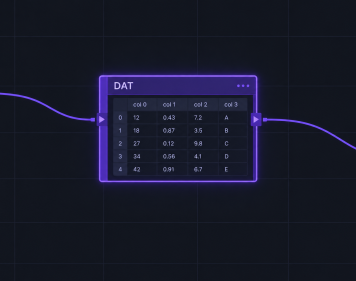
In TouchDesigner, a DAT is a Data Operator: the node family that holds text, tables and Python scripts instead of images, audio channels or…

Read article →
TouchDesigner .tox File Hero
October 23, 2026 by Demos Lab Editorial Team
TouchDesigner

What a .tox File Is and How to Use It in TouchDesigner

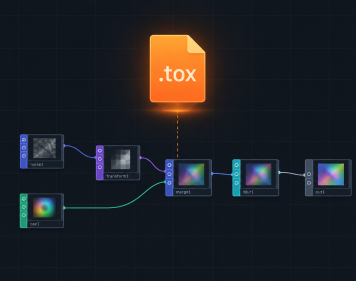
In TouchDesigner, a .tox file is a single saved component. It holds one COMP and every operator, parameter and script inside it, so you…

Read article →
Latest experiments

  • Depth Testing Hero
    Depth Testing in the Graphics Pipeline Explained
  • 3D Camera LookAt Hero
    Aiming a 3D Camera with lookAt and Understanding the View Frustum
  • TouchDesigner DAT Node Hero
    What a DAT Is in TouchDesigner and What DAT Stands For
  • Analog Joystick Hero
    Analog Joysticks Explained for Custom Controllers and Arduino
  • Multimedia Artwork Hero
    What Makes a Multimedia Artwork and How It Uses Each Element

Sections

  • Creative Coding Tools (2)
  • Generative Art & Shaders (3)
  • Installations & Projection (1)
  • New Media Art (2)
  • p5.js & Processing (2)
  • Physical Computing (2)
  • TouchDesigner (2)

Demos Lab

Creative coding and interactive media art

Sections

  • Creative Coding Tools
  • Generative Art & Shaders
  • Installations & Projection
  • New Media Art
  • p5.js & Processing
  • Physical Computing
  • TouchDesigner

Latest

  • Depth Testing in the Graphics Pipeline Explained
  • Aiming a 3D Camera with lookAt and Understanding the View Frustum
  • What a DAT Is in TouchDesigner and What DAT Stands For
  • Analog Joysticks Explained for Custom Controllers and Arduino
  • What Makes a Multimedia Artwork and How It Uses Each Element

© 2026 Demos Lab.
  • About
  • Code & Credits
  • Privacy Policy
  • Terms of Use
×