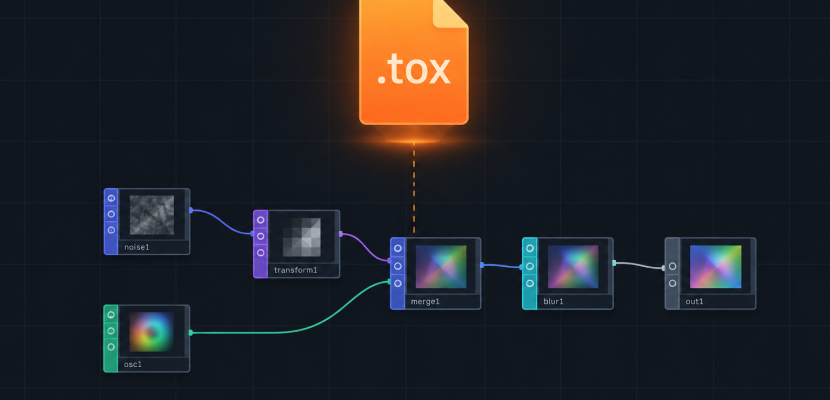
In TouchDesigner, a .tox file is a single saved component. It holds one COMP and every operator, parameter and script inside it, so you can reuse that component in any project. Outside software, “tox” is a medical combining form meaning poison, which is why dictionary results crowd this search.
Tox meaning: two very different words
The dictionary sense comes first in most search results, so it helps to clear it up.
Tox- (combining form). In English medical vocabulary, tox- or toxo- means poison. The etymology runs back to the Greek toxikon pharmakon, “poison for arrows,” from toxon, a bow. Every word built on it carries that sense:
- Toxin: a poison made by a living organism.
- Toxalbumin: a toxic plant protein, such as ricin from castor beans.
- Tox screen: short for a toxicology screen, a test for drugs or poisons.
- Rhus tox: short for Rhus toxicodendron, poison ivy, the name used for a homeopathic preparation.
.tox (file format). In TouchDesigner, .tox is the file extension for a saved component. Derivative, the Toronto company behind the software, uses it alongside .toe, the full project file. This is the meaning the rest of this article covers.
If you searched tox wiki, you probably want Derivative’s official documentation. Most users still call it the TouchDesigner wiki, and its pages on components and the COMP Class cover the parameters and Python methods below.
What lives inside a .tox file
A TouchDesigner project is a tree of networks. Components (COMPs) are the containers that hold those networks. Base COMP, Container COMP, Geometry COMP and the others can all hold nested operators.
When you save a COMP as a .tox, the file captures:
- The COMP itself and its parameter values
- Every operator inside it, at every depth
- Custom parameters you added in the Component Editor
- Python extensions and DAT scripts stored inside
- Wiring, node positions and comments
It does not capture external media. A Movie File In TOP points to a video by path. That video stays on your drive. If you send a .tox to a collaborator, send the media too, or they get a red error flag.
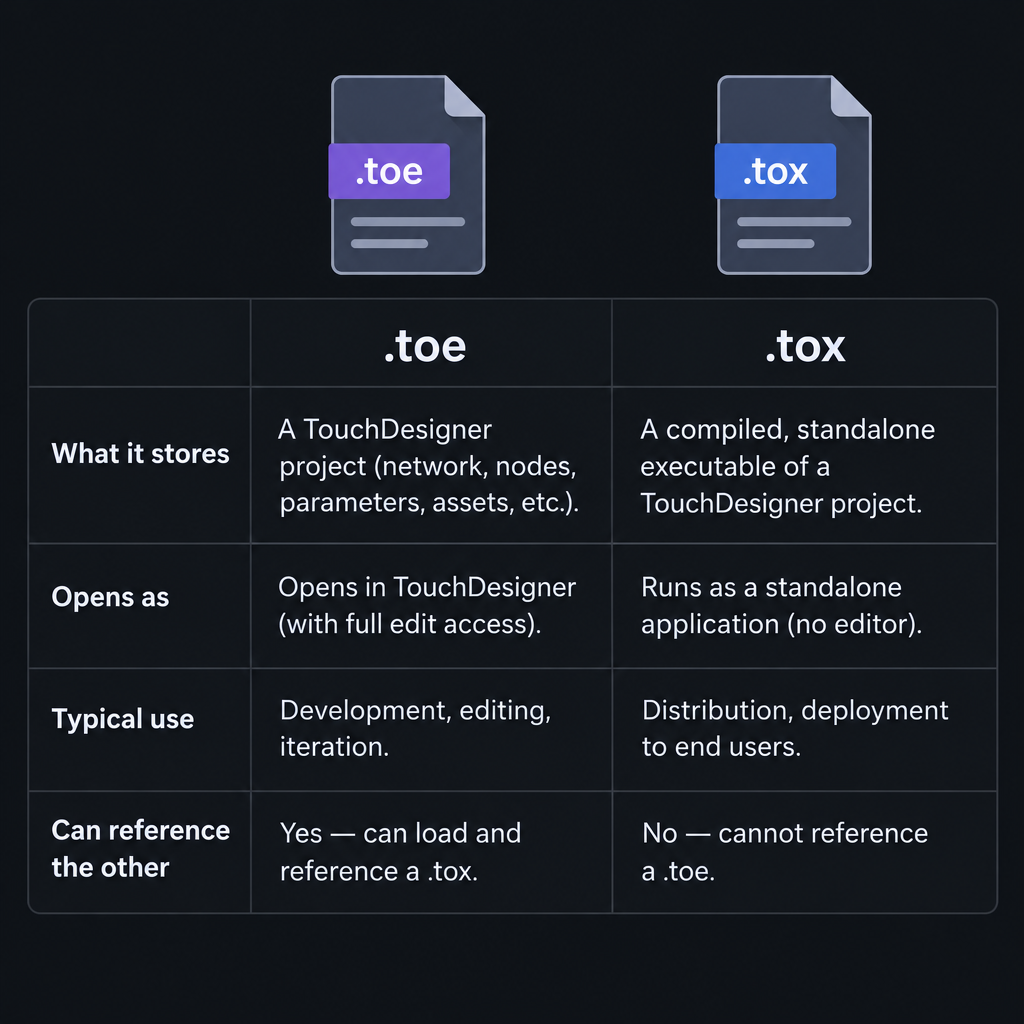
Here is how the two TouchDesigner formats compare:
| .toe | .tox | |
|---|---|---|
| What it stores | The whole project | One component and its contents |
| Opens as | A full session | A COMP dropped into a network |
| Typical use | Your show or piece | Reusable tools, modules, effects |
| Can reference the other | Yes, via External .tox | Yes, nested .tox files |
How to save a component as a .tox
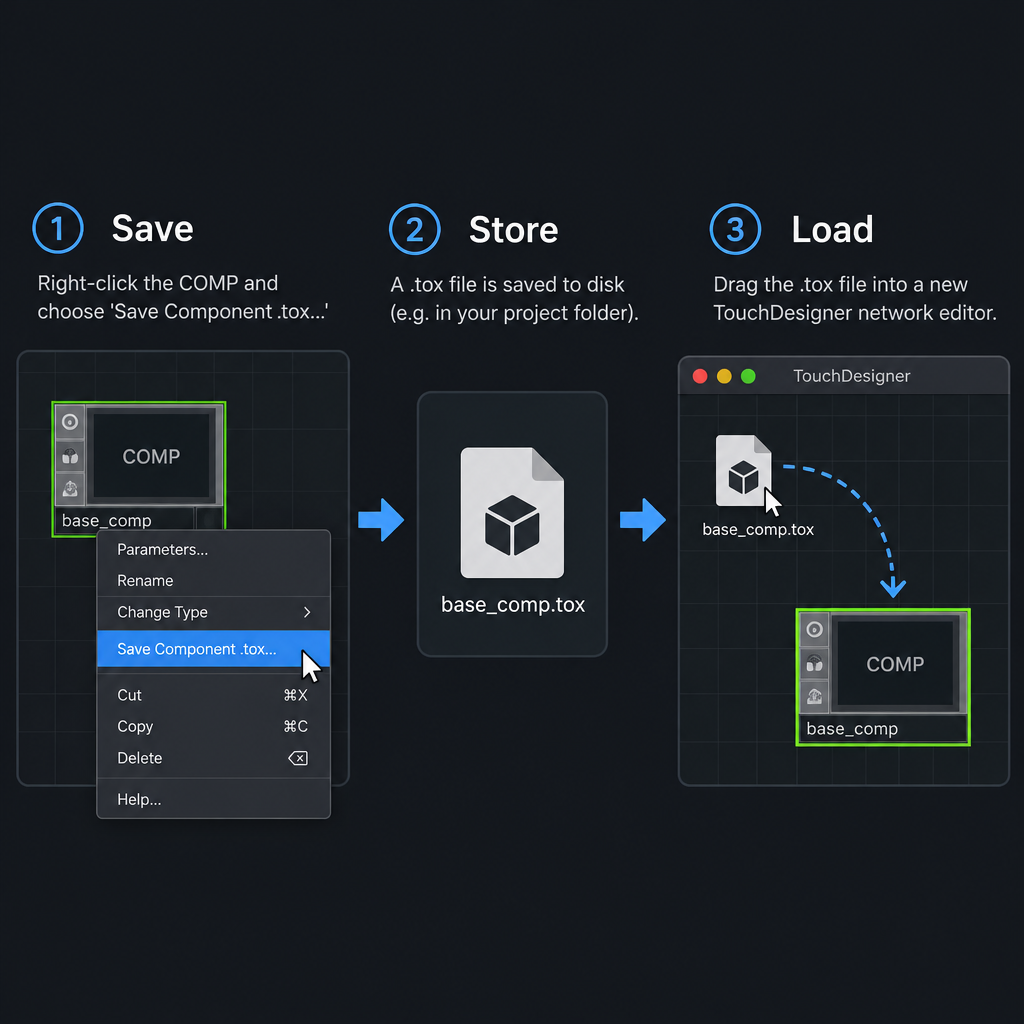
Quick steps: save a .tox
- Build your network inside a Base COMP.
- Right-click the COMP in the network editor.
- Choose Save Component .tox…
- Pick a folder and name the file.
Keep the inside clean before you save. Give the COMP a clear name, add In and Out operators so it can be wired, and expose the controls you want as custom parameters. Right-click the COMP, choose Customize Component…, and add a page with sliders, toggles or menus. Those become the “front panel” that other people see.
How to load a .tox into a project
You have three easy routes.
Drag and drop. Drag a .tox from your file browser straight into the network editor. TouchDesigner creates the component where you release it.
The Palette. The Palette panel, docked on the left of the window, is a library of .tox files Derivative ships with the software. Drag any item into your network. kantanMapper, a popular tool for projection mapping, lives here, along with camera rigs, UI widgets and post-processing effects.
Python. You can save and load components from a script. This is handy for building tools that spawn modules on demand.
# Save a component to the project folder
op('/project1/blur_tool').save('blur_tool.tox')

# Load the same .tox into /project1 as a new component
new_comp = op('/project1').loadTox('blur_tool.tox')

# Move it so it doesn't land on top of other nodes
new_comp.nodeX = 400
new_comp.nodeY = 0
save() writes the file. loadTox() is a COMP method, so you call it on the parent network where the new component should appear. Relative paths resolve from your project folder.
Studio tip
Keep a single folder of your own .tox tools and add it to the Palette’s My Components section. Your best effects stay one drag away in every new project.
External .tox: the workflow that pays off
Saving a .tox by hand is fine for sharing. The real gain comes from linking a COMP to a .tox on disk.
Every COMP has a Common parameter page. On it you’ll find:
- External .tox (
externaltox): the path to the file this COMP loads from. - Enable External .tox (
enableexternaltox): switches the link on or off. - Reload .tox on Start (
reloadtoxonstart): reloads the file each time the project opens. - Re-Init Network (
reinitnet): a pulse that reloads the file right now.
With these set, the .tox on disk becomes the source of truth. You can use one lighting module in five projects. Fix a bug once, and every project picks up the fix on next launch.
comp = op('/project1/lighting')
comp.par.externaltox = 'modules/lighting.tox'
comp.par.reloadtoxonstart = True
comp.par.reinitnet.pulse()  # load the file now
Teams use this for version control. A big .toe is one binary blob. Split into external .tox files, a project gives you smaller pieces that two people can work on at once. Derivative also ships command-line utilities called toeexpand and toecollapse. They expand a file into a folder of text files you can diff in Git.
Heads up
A .tox saved in a newer TouchDesigner build may not load cleanly in an older one. Tell collaborators which build you used, and test on the show machine before the gig.
Where .tox files shine
Components reward you for thinking in modules. A few patterns that work well:
- Sensor input modules. Wrap your Serial DAT, parsing script and smoothing CHOPs in one COMP. Any of your Arduino projects for installations can reuse it.
- Generative textures. A component with a Noise TOP, a feedback loop and three custom parameters becomes a texture you drop anywhere. If the noise maths is new to you, a Perlin noise tutorial makes the Noise TOP’s parameters click fast.
- Control panels. Container COMPs with buttons and sliders save as .tox and become a reusable UI kit.
- Community tools. Artists share .tox files on forums and GitHub. Treat them like any code from a stranger. A .tox can run Python on load, so open unknown files in a scratch project first.
Licensing and cost
TouchDesigner’s Non-Commercial licence is free. It caps output resolution at 1280 by 1280, which is plenty for learning and saving .tox files. Paid tiers lift that cap and add features for professional delivery. The .tox format itself costs nothing and works across licence types, with the usual limits of whichever licence opens the file.
FAQ
What does the tox definition mean in TouchDesigner?
It means a TouchDesigner component file. A .tox stores one COMP and everything inside it, ready to load into any project.
Is a .tox file the same as a .toe file?
No. A .toe is a whole project. A .tox is a single component you load into a project, though one .toe can link to many .tox files.
Can I open a .tox file without TouchDesigner?
Not in a useful way. It is a binary format built for TouchDesigner. The free Non-Commercial version opens it fine.
Why does my loaded .tox show errors?
Usually a missing external file, like a video, image or font referenced by path. Check the red-flagged operators and fix their file paths.
What does tox mean in medicine?
Tox- is a combining form meaning poison, from Greek toxikon. It appears in words like toxin, toxalbumin and toxicology.
Try it live
TouchDesigner doesn’t run in a browser, but the core idea behind a .tox does. You build one blueprint with exposed parameters, then drop copies of it anywhere. This p5.js sketch does the same with a class. If p5.js is new to you, it is a free JavaScript library and a gentle place to learn this way of thinking. Click any pulse to change that copy’s parameters without touching the others.
// One reusable "component" placed three times, like loading
// the same .tox into a network and changing its custom parameters.

let pulses = [];

function setup() {
  createCanvas(800, 600);
  colorMode(HSB, 360, 100, 100, 1);
  textAlign(CENTER);
  textSize(14);
  // Three copies of the same blueprint, each with its own settings
  pulses.push(new Pulse(200, 300, { rings: 6, speed: 0.006, hue: 190 }));
  pulses.push(new Pulse(400, 300, { rings: 10, speed: 0.01, hue: 320 }));
  pulses.push(new Pulse(600, 300, { rings: 4, speed: 0.004, hue: 50 }));
}

function draw() {
  background(230, 40, 8);
  for (let p of pulses) {
    p.update();
    p.display();
  }
  noStroke();
  fill(0, 0, 80);
  text('Click a pulse to change its parameters', width / 2, 560);
}

function mousePressed() {
  // Only the pulse you click gets new settings
  for (let p of pulses) {
    if (dist(mouseX, mouseY, p.x, p.y) < p.par.size / 2) {
      p.par.rings = floor(random(3, 14));
      p.par.speed = random(0.003, 0.015);
      p.par.hue = random(360);
    }
  }
}

class Pulse {
  constructor(x, y, settings) {
    this.x = x;
    this.y = y;
    // Default parameters, replaced by any settings passed in
    this.par = Object.assign({ rings: 5, speed: 0.008, hue: 200, size: 170 }, settings);
    this.t = 0;
  }

  update() {
    // Advance this copy's own clock
    this.t += this.par.speed;
  }

  display() {
    noFill();
    strokeWeight(2);
    for (let i = 0; i < this.par.rings; i++) {
      // Offset each ring in time so they spread out evenly
      let f = (this.t + i / this.par.rings) % 1;
      let d = f * this.par.size;
      // Rings fade as they grow
      stroke(this.par.hue, 70, 100, 1 - f);
      circle(this.x, this.y, d);
    }
    // Show the current values, like a small parameter panel
    noStroke();
    fill(0, 0, 70);
    let label = 'rings ' + this.par.rings + '  speed ' + nf(this.par.speed, 1, 3);
    text(label, this.x, this.y + 120);
  }
}