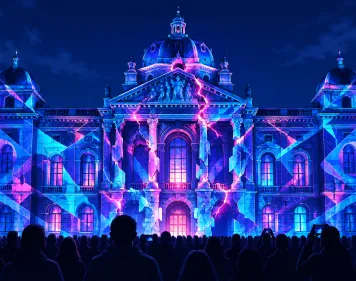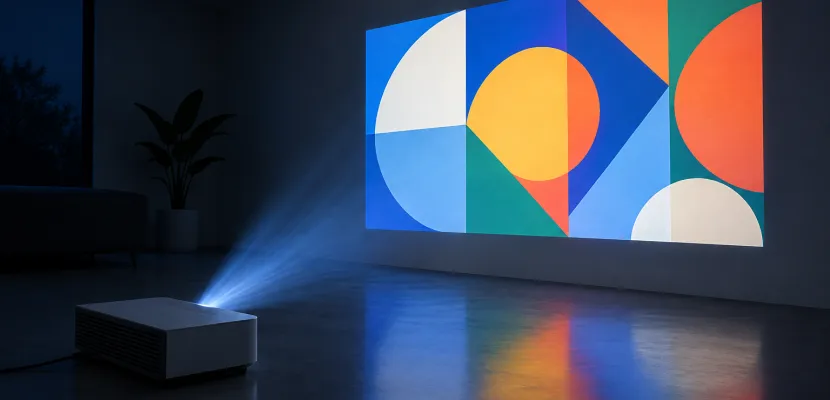
Any projector with an HDMI input can do projection mapping, because the mapping software does the warping, not the projector. What separates a good projection mapping projector from a bad one is four numbers you can check before you buy: throw ratio at the distance you have, real ANSI lumens, native resolution, and light source. This guide starts from your surface (a box on a desk, a bedroom wall or a two-story house front for Halloween or Christmas) and works back to the right projector and budget. Prices were last checked on November 15, 2026.
Key takeaways
- Any HDMI projector can map. Keystone, auto-focus and “mapping modes” don’t matter much, because the software warps the image.
- Step 1, throw: distance divided by image width tells you which projectors physically fit.
- Step 2, lumens: trust only ANSI or ISO 21118 figures. Bare “lumens” and “LED lumens” often run 5 to 10 times higher than the real output.
- Steps 3 and 4: buy native 1080p for most surfaces, and pick a laser if you run a show every night for weeks. A 4,000 to 5,000 ANSI laser short throw costs about $2,000 to $2,500.
- Lightform closed in 2022. Use MadMapper, HeavyM, Resolume Arena, TouchDesigner, a phone app for tests, or your own code.
In this guide: the quick answer table; Step 1, throw ratio; Step 2, lumens and surfaces; Step 3, resolution; Step 4, light source and chip; budget picks; software and phone apps; where to get mapping content; house setup for Halloween and Christmas; blending two projectors; legality; a pre-purchase checklist; the FAQ; and a live p5.js mapper you can run.
Quick answer: what projector you need for projection mapping
Pick the projector to suit the surface. A small object in a dark room needs a few hundred real lumens. A wall needs a few thousand. A house front at night needs 4,000 ANSI or more from a short-throw lens. The table below covers the common setups, using retail prices and the budget tiers that Lazy Lighting and BenQ publish.
| Scenario | Ambient light | ANSI lumens | Throw type | Native resolution | Typical price |
|---|---|---|---|---|---|
| Object on a table (mask, skull, sculpture) | Dark room | 100 to 600 | Any | 720p to 1080p | $70 to $300 |
| Wall or room installation | Dark or dim room | 2,000 to 3,000+ | Standard or short | 1080p | $250 to $400 used |
| Bar, club or gallery wall | Moderate light | 6,000 to 10,000 | Standard, zoom lens | 1080p or WUXGA | Pro rental or install |
| Single-story house front | Night, some street light | 4,000 | Short throw (about 0.5) | 1080p | About $1,999 |
| Two-story house or wide front | Night | 5,000, or two blended units | Short throw | 1080p or 4K | $2,399 and up |
Projection mapping in daylight isn’t practical with consumer or prosumer gear. Sunlight swamps even a 5,000-lumen image. House shows start after dusk for that reason.
Can you projection map with a normal projector?
Yes. Mapping software sends the projector a picture that has already been warped, masked and cut to fit your surface. To the projector it’s just a video signal. A $70 LED unit, a used office projector and a $2,000 laser can all map. The differences show up in brightness, placement and sharpness, and no software can fix those.
What the software does and what the projector must do
Software such as MadMapper or TouchDesigner handles corner pinning, mesh warping, masks and edge blending. That’s why you should turn off the projector’s keystone correction and ignore auto-focus or “smart mapping” features. Keystone throws away pixels to bend the image. The software can bend it without that loss.
BenQ’s house-mapping models add Corner Fit, which lets you drag each of the four image corners from the remote. That’s handy for squaring a picture on a flat garage door or a plain facade, with no computer involved. It can’t follow window frames, cut out a door, fit curved trim or blend two projectors. For those you still need masks and mesh warping in software. If you use software, leave Corner Fit at its neutral setting so the two corrections don’t stack.
Software can’t make light. The projector has to supply:
- Brightness strong enough to beat the ambient light over the whole area.
- Throw that fills the surface from a place you can actually put the projector.
- Focus depth so that the near and far parts of a 3D object both stay sharp.
- Native pixels fine enough for the viewing distance.
When a “house mapping projector” is worth paying for
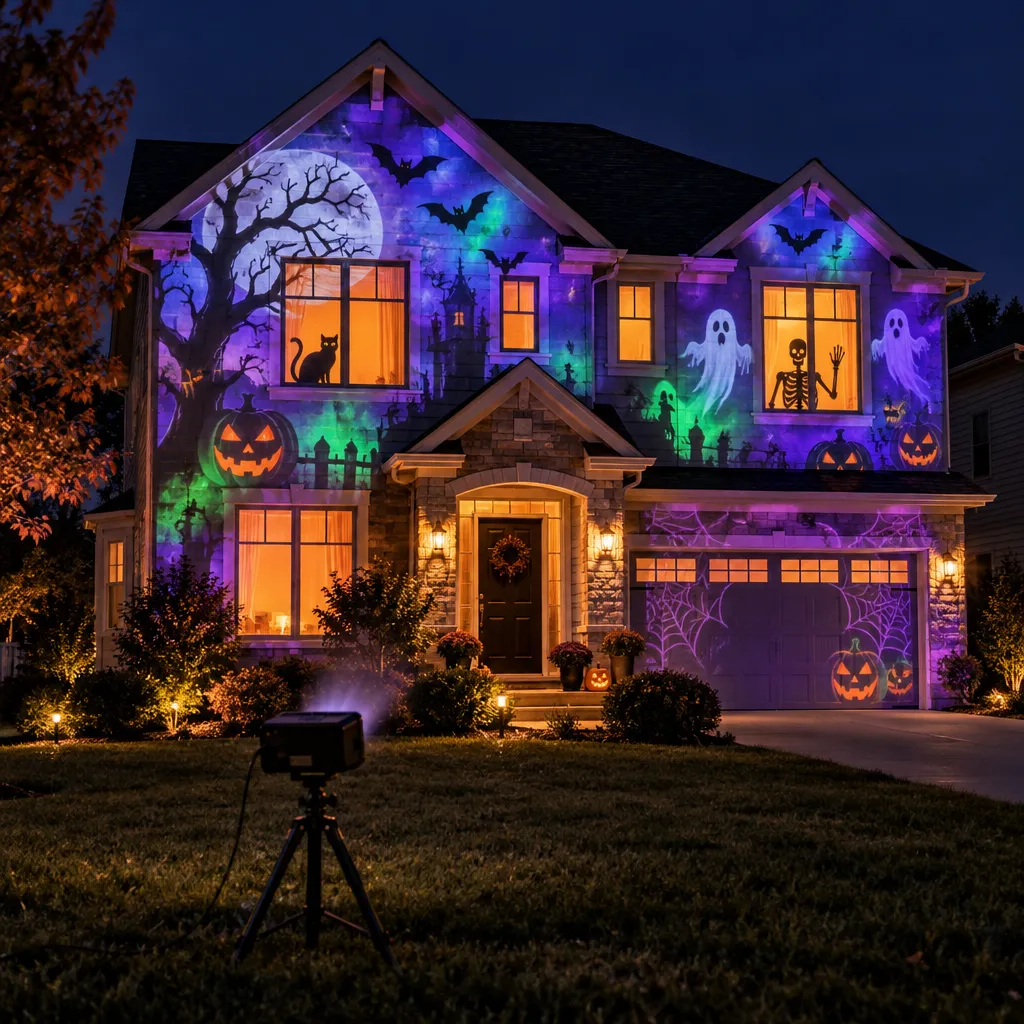
A dedicated house-mapping model, such as BenQ’s LH830ST, adds a very short 0.5 throw, a high offset so it can sit on the ground and aim up without tilting, a dust-sealed laser engine, and factory colour calibration for blending. Those features earn their price if you put on a Halloween or Christmas show every year for weeks at a time. For a weekend art project indoors, a used office projector gets you most of the result for a fraction of the cost.
Step 1: Measure your surface and work out the throw
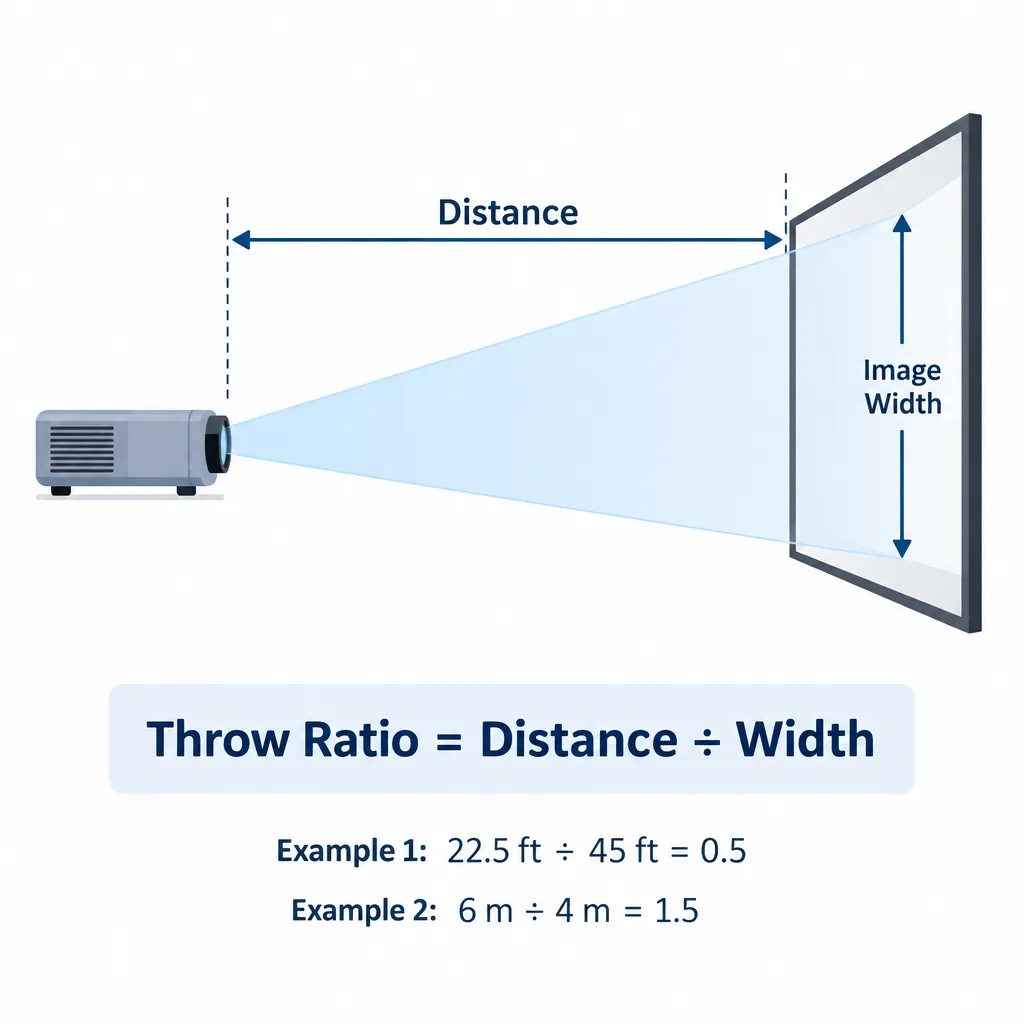
Throw ratio is the projector’s distance from the surface divided by the image width. Measure how wide your target is and how far back you can really place the projector. Divide the distance by the width, and you have the throw ratio you need. Then shop only for projectors whose lens covers that number.
Studio tip
Measure before you shop. A 40 ft house with only 20 ft of lawn in front needs a throw ratio of 0.5 or lower, and that rules out almost every standard projector straight away.
Throw ratio formula with worked examples
The formulas are simple:
- Throw ratio = distance ÷ image width
- Image width = distance ÷ throw ratio
- Distance needed = image width × throw ratio
House example (feet): BenQ’s campaign page says its 0.5-throw house-mapping projectors produce a 45 ft wide image from 22.5 ft away. Check: 22.5 ÷ 0.5 = 45.
Room example (meters): you want to cover a 4 m wall and can place the projector 6 m back. 6 ÷ 4 = 1.5, so you need a lens whose zoom range includes 1.5. The Optoma EH504 has a 1.41 to 2.24 range and covers it.
Desk example: a 60 cm sculpture with the projector 1 m away needs a ratio of about 1.67. Most cheap LED projectors have a fixed lens near 1.2 to 1.5, so you’d move the projector rather than zoom.
Image width at three common distances:
| Throw ratio | Distance 10 ft / 3 m | Distance 22.5 ft / 7 m | Distance 40 ft / 12 m | Example projector |
|---|---|---|---|---|
| 0.5 | 20 ft / 6 m | 45 ft / 14 m | 80 ft / 24 m | BenQ LH830ST (0.496), LH860ST, LK830ST |
| 0.8 | 12.5 ft / 3.75 m | 28.1 ft / 8.75 m | 50 ft / 15 m | Typical short-throw classroom unit |
| 1.41 | 7.1 ft / 2.1 m | 16 ft / 5 m | 28.4 ft / 8.5 m | Optoma EH504 (wide end) |
| 2.24 | 4.5 ft / 1.3 m | 10 ft / 3.1 m | 17.9 ft / 5.4 m | Optoma EH504 (tele end) |
HeavyM’s projector guide gives the range of throw ratios on the market as roughly 0.3 to 12. Most of what you’ll find used falls between 1.2 and 2.2.
Short throw vs standard vs ultra-short throw
- Standard throw (about 1.2 to 2.2): cheap, common and often has a zoom. Good for rooms and venues where the projector can sit far back.
- Short throw (about 0.4 to 0.9): fills a big surface from close up. This is what house mapping needs when the yard is shallow. People and cars are also less likely to walk through the beam.
- Ultra-short throw (UST, under about 0.4): built to sit inches below a wall in a living room. The image hits the wall at a very steep angle, so it only works on a perfectly flat surface. That makes UST a poor match for 3D objects and textured facades.
Offset and lens shift: avoid tilting
Offset is where the image lands relative to the lens. The BenQ LH830ST has a 116% offset. Placed on the ground, it throws the whole image upward, with the bottom edge above the lens, and the projector body stays level. Lens shift does the same job with a dial you can adjust. Tilting a projector that has neither adds keystone distortion, and the parts of the image farthest from the lens lose focus.
For tall houses, think about aspect ratio too. A 16:9 image is wide and short. Turning it to cover a narrow two-story gable either wastes pixels or means mounting the projector on its side, and only some models support that. Check the manual for portrait mounting before you plan on it.
Depth of focus on 3D objects
A 3D video mapping projector has to hold focus across a deep surface, such as a porch that sits 6 ft forward of the main wall or a mask whose nose sticks out 10 cm. The farther the projector is from the object compared with the object’s depth, the more of it stays sharp. When you have the space, a longer throw from farther back keeps deep objects sharper than a short throw from close in. Focus on the middle of the depth, not the front.
Step 2: How many lumens you really need
You need enough ANSI lumens for the size of the image and the light around it. A rough guide: 100 to 600 ANSI for small objects in the dark, 2,000 to 3,000 for a room wall, and 4,000 to 5,000 for a house front at night. The first job is making sure the figure on the box is real.
ANSI vs ISO vs CVIA vs “LED lumens”
Projector brightness labels have become a mess. Lazy Lighting’s budget guide says “LED lumens” or bare “lumens” figures typically run 5 to 10 times higher than ANSI. A “9,000 lumen” bargain projector is often only 200 to 400 ANSI. CompareProjector reports a worse case: a sub-$200 projector advertised at more than 8,000 lumens measured about 100 ANSI lumens in an Australian retailer’s test.
Did you know?
According to CompareProjector, a sub-$200 projector sold as 8,000+ lumens measured roughly 100 ANSI lumens in a retailer test. That’s about 1/80th of the number on the box.
| Label | Who uses it | How it compares to ANSI | Trust level |
|---|---|---|---|
| ANSI lumens | Established brands: Epson, BenQ, Optoma, Panasonic | The reference figure, averaged over nine points on a full-white image | High |
| ISO 21118 | International standard, used more and more on 2026 listings | Similar nine-point method; tends to come out slightly lower than ANSI | High |
| CVIA lumens | China Video Industry Association standard, mostly on projectors sold in China | A separate standard. Compare CVIA only with CVIA, not with ANSI | Medium |
| “LED lumens”, “light source lumens”, bare “lumens” | Budget marketplace listings | Often 5 to 10 times higher than ANSI | Low |
Gizmochina’s October 2026 analysis of Xiaomi, Dangbei, XGIMI and Wanbo listings points out that JmGo revised its advertised brightness to comply with ISO 21118. Brands are starting to move toward real standards, so a listing that still won’t name one tells you something.
Spot fake lumens
Search the listing and the manual for “ANSI” or “ISO 21118”. If neither appears, assume the real brightness is 5 to 10 times lower than the headline number.
Lumens for objects, rooms, single- and two-story houses
What lights up a surface is lumens per square foot, not lumens alone. Divide the ANSI lumens by the image area in square feet. On a matte white surface the result is roughly the brightness in foot-lamberts. Darker or glossier surfaces then take some of that away (see the next section).
- Room wall: 3,000 ANSI on a 10 × 5.6 ft image (56 sq ft) gives about 53 foot-lamberts. That’s very bright, which is why 3,000 ANSI is plenty for an indoor wall even when you can only partly darken the room.
- Single-story house: 4,000 ANSI on a 45 × 25 ft image (1,125 sq ft) gives about 3.6 foot-lamberts, before screen gain and optical losses. That’s dim by cinema standards, but it reads well at night on light siding, so 4,000-lumen short throws are sold for house mapping.
- Two-story front: double the height and the light per square foot halves. That’s why the 5,000-lumen BenQ LH860ST exists, and why big fronts often get two blended projectors.
HeavyM’s guide recommends 3,000 to 5,000 lumens for dark indoor spaces, 6,000 to 10,000 for large spaces or moderate light, and 12,000 to 20,000 for outdoor or large-scale work. Those figures suit venues and public facades. For a home exterior at night, BenQ’s purpose-built 4,000 to 5,000 ANSI lasers show you can get a good result for far less.
Five thousand real ANSI lumens covers a dark room or a house at night. A lit club, a building in a city centre, or anything wider than about 60 ft calls for two projectors or professional gear.
Surface colour, finish and contrast
Light, matte surfaces give back the most of the lumens you paid for. Dark, glossy or moving surfaces waste them. Choose the surface carefully and you can save more brightness than a jump to the next projector tier would buy you.
- Colour: white or pale siding, stucco and painted trim reflect most of the light. Dark brick, stained wood and dark grey paint absorb much more of it, so the same 3.6 foot-lamberts from the house example looks noticeably dimmer. On a mixed facade, put the brightest content on the palest areas and use darker areas for shadows and negative space.
- Finish: matte beats glossy. Gloss paint, glass and metal throw back a bright hotspot toward one viewing angle and look dull from everywhere else. Mask windows to black in software and the glass stops scattering light.
- Fabric and flexible surfaces: sheets, banners and inflatables move in the wind, and every ripple shifts the map. A short-throw projector hits these surfaces at a steep angle, which exaggerates the effect. Pull fabric tight on a frame, or place the projector farther back with a longer throw so the beam lands closer to straight on.
- Contrast ratio: the advertised figure, often 100,000:1 or more for “dynamic” contrast, is measured in a black lab. Outdoors, the darkest your wall can look is set by the street light and porch light falling on it, not by the projector. Ambient light control and real ANSI lumens matter far more than the contrast number on the box. Switch off dynamic contrast or dynamic iris modes too, because they change brightness from scene to scene and make seams obvious in a blend.
Street lights, porch lights and moonlight
Ambient light lifts the black level on the surface and washes out the colours. At a house, the worst offenders are your own porch lights, the neighbours’ security lights and the nearest street light. Turn off your own lights on a timer. Don’t try to do anything about a street light. Choose the darkest face of the house, or a design that keeps the brightest content on the darkest part of the wall. A full moon makes little difference. A sodium or LED street light pointed at your wall makes a big one.
Step 3: Resolution and pixel size on the surface
Buy for native resolution, not for “supported” resolution. Many budget projectors accept a 4K or 1080p signal and scale it down to a native 720p or lower chip. To see what your audience will see, divide the image width by the number of horizontal pixels.
- 1080p (1,920 px) across 45 ft (540 in) = 0.28 in per pixel
- 4K (3,840 px) across 45 ft = 0.14 in per pixel
- XGA (1,024 px, as on the Panasonic PT-VX500U) across 45 ft = 0.53 in per pixel
- 1080p across a 2 ft desk sculpture = about 0.3 mm per pixel
From a sidewalk 40 ft away, nobody can see a 0.28 in pixel, so 1080p is plenty for most houses. 4K, as on the BenQ LK830ST, makes sense in three cases: people stand close, the content uses fine linework or text, or one image is stretched across a very wide surface. For blocky, high-contrast animation, the money is better spent on lumens. Thin lines can also shimmer after a heavy warp, and antialiasing in your content pipeline helps more than extra resolution does.
Step 4: Choose the light source (laser, lamp or LED) and chip (DLP vs 3LCD)
Laser is the low-maintenance choice for long seasonal runs. Lamp projectors are the cheap way into real brightness. LED is fine for small, short-distance work. The imaging chip matters less than the light source, but it still affects dust and colour.
| Light source | Lifespan | Warm-up | Maintenance | Best for |
|---|---|---|---|---|
| Laser | BenQ rates the LK830ST at 20,000 hours normal, 30,000 eco | Near instant | Often sealed, no lamp to change | House mapping, installations that run nightly |
| Lamp | A few thousand hours, varies by model | A minute or so to full brightness, plus a cooldown | Replacement lamps, filters | Used office units, hobby use |
| LED | Long life | Instant | Little | Small objects, low-cost tabletop work |
For hobby use, a lamp usually wins on cost. If you map a few dozen hours a year, a used lamp projector plus one spare lamp costs less than a laser. Before you buy one, look up the price of a replacement lamp for that exact model. The sums change for seasonal house shows. A Halloween or Christmas display running five hours a night for six weeks puts about 200 hours a season on the light source, and that’s where laser’s long life and lack of cooldown fuss start to pay off.
DLP vs 3LCD: single-chip DLP keeps its optical path sealed, which helps against dust outdoors. BenQ’s house-mapping models also advertise an IP6X sealed engine, IP6X being the dust-tight rating. 3LCD, used by Epson and in the Panasonic PT-VX500U, gives equal white and colour brightness, so saturated content looks brighter on 3LCD than on a lamp DLP with the same white rating. On older LCD units, dust can settle on the panels and show up as blotches. Both types map fine. For house mapping, a sealed engine matters more than which chip is inside.
Best projectors for projection mapping by budget (2026)
Three tiers cover almost everyone: a cheap LED for objects, a used office projector for rooms, and a laser short throw for houses. These picks were chosen by matching published ANSI figures, throw ratios and current US prices to the scenarios above. Brand spec pages, retailer listings and Lazy Lighting’s budget tiers were weighed equally, and no single vendor was favoured.
Under $150: tabletop and art objects
Lazy Lighting puts compact LED projectors at $70 to $150 with 100 to 300 ANSI lumens, and 1080p LED smart projectors at $150 to $300 with 300 to 600 ANSI. A $100 big-box LED projector is enough to start on a mask, a stack of boxes or a small sculpture in a dark room. It won’t light a full wall or anything outdoors. Check the native resolution in the specs, because many projectors in this tier are native 720p or lower.
$250 to $400: the used office projector trick
Lazy Lighting’s tier for bright home or used office projectors runs $250 to $400 for 2,000+ ANSI lumens. This is the sweet spot for indoor mapping. Two models show what to look for:
- Optoma EH504: 5,000 ANSI lumens, native 1080p DLP, 1.41 to 2.24 throw with a 1.6x zoom. It’s discontinued, so you’ll find it used.
- Panasonic PT-VX500U: 5,000 ANSI lumens, 3LCD, but only native XGA (1,024 × 768). It dates from 2012. It’s bright and cheap, but coarse on large surfaces.
A used Epson home cinema projector also works well in a dark room. Many Epson home cinema models are 3LCD with good colour, and the higher-end ones have lens shift. Confirm native 1080p, read the ANSI figure, and check the lamp hours in the menu before you pay.
$2,000-ish: house-mapping laser short throws
These are the current models built for house mapping, with figures from BenQ and US retailers:
| Model | ANSI lumens | Resolution | Throw ratio | Offset | Light source | US price |
|---|---|---|---|---|---|---|
| BenQ LH830ST | 4,000 | 1080p | 0.496 | 116% | Laser, IP6X engine | $1,999 |
| BenQ LH860ST | 5,000 | 1080p | 0.5 | 105% | Laser, IP6X engine | $2,399 |
| BenQ LK830ST | 4,000 | 4K UHD | 0.496 | 114% | Laser | $2,499 |
AVI-SPL lists the LH830ST’s original price as $2,099. Adorama shows it at $1,999 new and $1,785 used, though one listing had it on backorder. Notebookcheck reported the European launch at €1,899. BenQ also says these units are factory calibrated to a white point of about Delta E 2, which helps when you blend two of them.
Did you know?
According to BenQ’s house-mapping product page, a 0.5 throw ratio laser can light a 45 ft wide house front from just 22.5 ft away, which is close enough for most front lawns.
Complete packages vs building your own kit
You can buy a complete house kit in one of two forms: an open package of standard parts, or a closed all-in-one system. Building your own from parts costs the least if you already own a laptop or media player.
Digital Press Works sells house projection mapping packages built around different projectors. At its November 2026 listing prices:
| Package | Projector | Price |
|---|---|---|
| Equipment package, no projector | Bring your own | $899.95 (sale, from $999.95) |
| WXGA package | 4,000 lumen WXGA | $1,599.95 |
| 1080p short-throw laser package | 4,000 lumen | $2,099.95 |
| 1080p short-throw laser package | 4,200 lumen | $2,499.95 |
| 4K UHD short-throw laser package | 4,000 lumen | $3,499.95 |
Luxedo, now sold under the LuxHome name, takes the all-in-one route. Its complete systems pair a steel outdoor housing with an Optoma laser short throw: the 4,200-lumen ZH450ST or the 6,000-lumen ZU607TST, both rated for up to 30,000 hours. Everything is controlled remotely through Luxedo’s own software. The trade-off is lock-in. Luxedo says the first year of its Software Suite and LuxStudio is included, and after that a LuxPlay + LuxStudio subscription is required to keep using the software features and AI-generated content. One retailer has listed the Luxedo Projection System V3 at $2,699. An open kit lets you swap in MadMapper, TouchDesigner or your own code at any time.
Whichever route you take, add up the total cost of ownership: projector, mapping software licence, weatherproof enclosure, media player or mini PC, audio, extension cords rated for outdoor use, and show content. Custom Christmas house videos from Digital Press Works list at $119.95 each, so a Halloween and Christmas season with two or three videos each adds several hundred dollars. On a house setup, the projector is often only about two-thirds of the total.
Heads up
WXGA is 1,280 × 800, well short of 1080p. On a 45 ft wide house that works out to about 0.42 in per pixel, which is fine from the street and coarse up close.
Software: making the projector map
The chain is simple: a computer, phone or media player runs the mapping software. The software sends the warped output over HDMI to the projector, which the operating system sees as a second display. Pick the software for how you like to work. Timeline and clip apps are quickest for house shows. Node and code tools give artists the most control.
Desktop mapping apps
| App | Made by | Best for | Free option | Paid licence |
|---|---|---|---|---|
| MadMapper 5 | GarageCube | House and object mapping | Demo with watermarks and blackouts | Installation from €49 a month, artist perpetual €519 (ex. tax) |
| HeavyM | Digital Essence | Beginners, VJs, venues | Yes, limited | Paid tiers |
| Resolume Arena | Resolume | Performing to music, VJing | Demo with watermark | Paid |
| TouchDesigner | Derivative | Generative and interactive work | Non-Commercial, capped at 1280 × 1280 | Commercial $600, Educational $300 |
MadMapper needs nothing special from the projector: any HDMI display your computer sees will work. Resolume Arena’s Advanced Output handles slices, masks and warping. HeavyM ships with built-in effects. TouchDesigner’s Non-Commercial edition is free for personal use and allows output up to 1280 × 1280, so a 1920 × 1080 output fits within its cap.
For house or object mapping, MadMapper’s demo gets you mapped fastest. TouchDesigner suits you if you also want generative and interactive work, and Resolume suits you if you mostly perform live. None of them asks anything extra of the projector. The specs that matter are the same four specs from Steps 1 to 4.
Phone apps
A phone or tablet app is the cheapest way to map, and it’s fine for tests, small objects and simple house layouts. Current options include Lazy Lighting (iPhone and iPad, with corner dragging, masking and live effects), Reality Augmenter (iOS), SurfaBeam (iOS) and LayerMapper MApp (Android and iOS). Lazy Lighting’s App Store listing offers Pro in-app purchases priced from $7.99 to $129.99. Check each listing for its current price and features before you commit.
There are three ways to get the picture from the phone to the projector:
- HDMI adapter: a USB-C to HDMI or Lightning to HDMI adapter and a cable. It’s the most reliable route, with no added lag and no compression.
- Wireless receiver: a Chromecast with Google TV, an Apple TV or an AirPlay or Google Cast enabled projector. Reality Augmenter, for example, supports AirPlay and Google Cast output. Wireless mirroring compresses the video and can add lag or drop frames, so test a full show loop before relying on it.
- App on the projector itself: some smart projectors run Google TV or Android TV. If a mapping app is published for that platform, it can run on the projector with no phone attached. Check the app’s store listing first, because many mapping apps are phone-only.
Phone apps handle corner pinning, basic masks and playback of one output. They don’t match desktop tools for fine mesh warping around curved trim, edge blending across two projectors, timeline sequencing, or long unattended playback on a schedule. A phone that sleeps, overheats or takes a call mid-show is a real risk on a six-week Christmas run. Use an app to block out an idea, then move to a computer or dedicated media player for the real show.
Coding your own mapper
Coding your own is the route for creative coders. Processing has a community Keystone library for corner-pin warping. openFrameworks has addons such as ofxPiMapper, which is built for Raspberry Pi. p5.js can draw content into an offscreen buffer and texture it onto a warped mesh, which is what the sketch at the end of this guide does. Drag the browser window onto the projector’s display, go fullscreen, and you’re mapping with free tools.
What happened to Lightform
Lightform discontinued all its hardware on February 7, 2022, and shut down on August 12, 2022. The LF1, LFC Kit, LF2, LF2+ and the Lightform Creator software (final version 2.4.1) no longer have support or cloud services. Old guides recommending a Lightform kit are out of date. MadMapper or HeavyM cover the same beginner ground today.
Where to get mapping content
Show content comes from three places: premade seasonal videos, animations you build yourself, and free or stock loops. Premade house videos are the fastest. Building your own fits your facade best and costs the least once you know the tools.
| Source | What you get | Typical cost | Fit to your house |
|---|---|---|---|
| Custom premade house videos (Digital Press Works) | 4 to 5 minute HD MP4 shows for Christmas and other holidays | $119.95 per video | Fitted from a map drawing you send |
| Projection decorations (AtmosFX) | Halloween and Christmas effects, sold as digital downloads | About $25 per collection | Generic, so you mask and place them in software |
| Build your own in After Effects | Full control over every window and edge | Adobe subscription | Exact, from your own template |
| Build your own in Blender | 3D animation and fake-depth effects | Free | Exact, from your own template |
| Free stock loops (Pixabay and similar) | Abstract loops, snow, fire, textures | Free, check each licence | Generic |
| Generative code (p5.js, TouchDesigner) | Live, endless, interactive visuals | Free tools | Exact, drawn in your mapper |
Premade seasonal packs
The custom route suits a first Halloween or Christmas show. Digital Press Works lists its Christmas house projection mapping videos at $119.95 each and tailors each one to your house from a map drawing you send in, then delivers an HD download. Generic decoration packs such as AtmosFX’s are cheaper but aren’t drawn for your facade. You play them inside a window shape or on a plain wall section, and mask the rest to black. AtmosFX says it has sold only digital downloads since 2016.
Building your own
To build your own, photograph the house from the exact projector position, then use that image as a template layer at your output resolution (1920 × 1080 for a 1080p projector). Trace windows, doors and trim as masks. Animate in After Effects or Blender, then hide the template layer and export. Because the template came from the projector’s own viewpoint, the outlines land close to the real edges, and a final pass of corner pinning in your mapper fixes the rest.
Design for low lumens
Build your content on black backgrounds with bold, saturated shapes. Black pixels add no light, so the lit areas look brighter and the unlit wall disappears.
That rule applies to every source in the table. A full-frame snowy scene spreads 4,000 lumens over the whole house and looks flat. The same snow falling only inside lit window outlines on black looks twice as bright. When you choose a stock loop, prefer one with a black background, or put a mask on it.
House mapping setup: weather, timers, sound
Outdoors, the projector needs protection, a fixed position and an automatic schedule. Plan these before show night, because a projector that gets nudged a quarter inch ruins the whole map. Halloween shows usually run a few weeks of mild autumn weather. Christmas shows run longer, through colder and wetter nights, so condensation and power planning matter more.
- Enclosure: use a weatherproof projector enclosure with an optical glass window and ventilation. Even IP6X engines are dust-sealed, not waterproof.
- Anchoring: stake or anchor the enclosure to the ground and lock it. Remap after any bump.
- Condensation: cold December nights fog the window glass. Let the projector warm the enclosure before showtime, and keep air moving.
- Timer: schedule the show with the projector’s own scheduler, network control or media player commands. Lamp projectors need their cooldown cycle, so don’t cut their power with a smart plug.
- Audio: a low-power FM transmitter lets visitors tune their car radios to the soundtrack. In the US, these devices must stay within FCC Part 15 power limits.
- Light control: put your porch and landscape lights on the same timer so they go off for the show. At Christmas, keep string lights off the projected areas, or they’ll fight the image.
One projector or two? Blending basics
Add a second projector when the surface is too wide for one image at your distance, or too large for one unit’s brightness. Two side-by-side units with a 10 to 20% overlap keep about the brightness of one unit on its own image while nearly doubling the width. Stacking two on the same area doubles the brightness.
Edge blending fades each projector’s output across the overlap so the seam disappears. MadMapper, Resolume Arena and TouchDesigner all support it. Matching colour is the hard part. Use identical models, set both to the same picture mode, and turn off dynamic brightness features. BenQ’s factory calibration to about Delta E 2 is meant for exactly this. Mastering your content to Rec. 709, the HD colour standard, gives both projectors the same target. Expect to spend most of your blending time fixing the colour, not the geometry.
Is projection mapping illegal?
Mapping your own house is legal. Projecting onto someone else’s building without permission can break criminal, planning or sign laws, depending on where you live. Get written permission from the owner before you aim at any property that isn’t yours.
- Florida: HB 269 (Chapter 2023-24, Laws of Florida) added a ban on projecting images onto a building or property without the owner’s permission, placed in the criminal mischief statute. According to the bill summary, a credible threat in the image makes it a third-degree felony.
- UK: when people projected onto Parliament, the government stated that “unauthorized projections break planning permission regulations.” Projected adverts fall under advertisement consent rules.
- Local bylaws: in October 2024, officials in Hanson, Massachusetts, called a resident’s projected “Trump 2024” image on a water tower a violation of town bylaws.
- Sign and advertising codes: projecting a business logo or a commercial message can count as a sign under local codes, even on your own house.
- Courtesy and safety: aim so that no beam or flashing content falls toward passing drivers, and keep crowds off the street.
Pre-purchase checklist
Go through this list before you buy, new or used. Items 1 to 5 follow the four steps in order.
- Step 1: throw ratio (or zoom range) that matches your distance ÷ width.
- Step 1: lens shift or enough offset to avoid tilting.
- Step 2: brightness rated in ANSI or ISO 21118, not “LED lumens”, and enough lumens per square foot for your surface’s colour.
- Step 3: native resolution, not “supported” resolution.
- Step 4: light source suited to your hours, plus the price of a replacement lamp for that exact model if it uses one.
- HDMI input that your computer, phone adapter or media player can drive.
- Fan noise level you can live with indoors.
- For used units: lamp hours from the menu, a full-white and full-black test for dead pixels and blotches, an even image with no colour casts, and a noise check after 30 minutes.
- Total budget including software, enclosure, player, audio and show content.
FAQ
What kind of projector do I need for projection mapping?
You need one whose real ANSI brightness, throw ratio and native resolution fit your surface. That’s about 100 to 600 ANSI for small objects, 2,000 to 3,000 for a room wall, and a 4,000 to 5,000 ANSI short throw for a house at night.
Can you projection map with a normal projector?
Yes. Mapping software warps the image before it reaches the projector, so any HDMI projector works. Turn off keystone and let the software do the shaping.
Can a projector do projection mapping by itself?
Mostly not. A projector displays only what it’s sent. BenQ’s Corner Fit can square an image to a flat facade from the remote, but masks, mesh warping and blending need software. Lightform’s all-in-one devices were discontinued in 2022. Luxedo (LuxHome) still sells a closed all-in-one house system, which needs a paid subscription after the first year to keep its software features.
Can I use a phone app for projection mapping?
Yes, for tests and simple shows. Apps such as Lazy Lighting, Reality Augmenter and LayerMapper MApp connect over an HDMI adapter or a wireless receiver. For two-projector blends, detailed warps or long scheduled runs, a desktop tool is more dependable.
Is projection mapping illegal?
Not on your own property. On other people’s buildings you need permission. Florida made unauthorised projection onto property an offence in 2023, and the UK government says unauthorised projections break planning rules.
How many lumens do I need for projection mapping a house?
At night, 4,000 ANSI lumens covers a typical single-story front about 45 ft wide on light siding. Larger, darker or two-story fronts need 5,000 ANSI or two blended projectors.
Is 5,000 lumens enough for projection mapping?
Yes, for dark rooms and house fronts at night, as long as the figure is ANSI. It isn’t enough for daylight or for a brightly lit venue.
Do I need a laser projector for a Halloween or Christmas show?
Not for a short run. A used lamp projector is cheaper if you map a few dozen hours a year. For a six-week nightly show of about 200 hours, a laser’s long life, instant start and lack of lamp changes justify the cost.
Do I need a 4K projector for projection mapping?
Rarely. 1080p across 45 ft is 0.28 in per pixel, which nobody can see from the street. 4K helps when viewers stand close or the content has fine detail.
Does contrast ratio matter for projection mapping?
Less than the spec sheet suggests. Outdoors, street lights and porch lights set how dark your wall can look, so the advertised contrast figure barely shows. Real ANSI lumens, a pale matte surface and switching off nearby lights make a bigger difference.
What is the best projection mapping projector for beginners?
For indoor art, a used 1080p office projector such as the Optoma EH504 gives real brightness for a few hundred dollars. For houses, the BenQ LH830ST at $1,999 is purpose-built and easy to place.
Short throw or long throw for house mapping?
Short throw, in most yards. A 0.5 ratio fills 45 ft from 22.5 ft. Long throw only works when you can set up across a wide street or a deep lawn.
Where do I get house projection mapping videos?
Buy custom seasonal videos (Digital Press Works lists Christmas customisations at $119.95 each), use generic decoration packs such as AtmosFX and mask them in software, or build your own in After Effects or the free Blender, using a photo taken from the projector position as your template.
How much does a projection mapping setup cost?
Anywhere from about $70 for an LED tabletop setup with free code tools, to roughly $300 to $500 for a used office projector and software, to $2,100 to $3,500 for a complete house-mapping package, plus content and software if you don’t make your own.
Try it live
This sketch is a working four-corner mapper in p5.js. Drag the white handles until the outline matches the edges of your surface. Press F for fullscreen on the projector’s display and H to hide the handles. The content follows the low-lumen rules above: black background, bold shapes and a bright outline for alignment.
// Four-corner projection mapper: drag the white handles to fit your surface
// Press F for fullscreen, H to hide or show the handles
let pg;              // offscreen buffer that holds the content
let corners = [];    // four handles: top-left, top-right, bottom-right, bottom-left
let dragging = -1;   // which handle is being dragged (-1 means none)
let showHandles = true;
const GRID = 12;     // mesh subdivisions; higher means a smoother warp

function setup() {
  createCanvas(800, 600, WEBGL);
  pg = createGraphics(480, 270);
  corners = [
    createVector(160, 140), createVector(640, 120),
    createVector(620, 470), createVector(180, 450)
  ];
  textureMode(NORMAL);
}

function draw() {
  background(0);
  drawContent();
  // WEBGL puts the origin in the centre, so move it to the top-left corner
  translate(-width / 2, -height / 2);
  noStroke();
  texture(pg);
  // Draw the content as a grid of triangle strips stretched between the corners
  for (let j = 0; j < GRID; j++) {
    let v0 = j / GRID;
    let v1 = (j + 1) / GRID;
    beginShape(TRIANGLE_STRIP);
    for (let i = 0; i <= GRID; i++) {
      let u = i / GRID;
      let a = warp(u, v0);
      let b = warp(u, v1);
      vertex(a.x, a.y, 0, u, v0);
      vertex(b.x, b.y, 0, u, v1);
    }
    endShape();
  }
  if (showHandles) drawHandles();
}

// Blend between the four corners to find where a point of the content lands
function warp(u, v) {
  let tx = lerp(corners[0].x, corners[1].x, u);
  let ty = lerp(corners[0].y, corners[1].y, u);
  let bx = lerp(corners[3].x, corners[2].x, u);
  let by = lerp(corners[3].y, corners[2].y, u);
  return { x: lerp(tx, bx, v), y: lerp(ty, by, v) };
}

// High-contrast content on black: only the shapes add light
function drawContent() {
  pg.background(0);
  pg.noStroke();
  // Sliding coloured bars
  for (let i = 0; i < 8; i++) {
    let x = ((i * 60 + frameCount * 2) % (pg.width + 60)) - 30;
    pg.fill(255, 40 + 30 * i, 200 - 20 * i);
    pg.rect(x, 0, 20, pg.height);
  }
  // A pulsing white circle that travels left and right
  let t = frameCount * 0.02;
  pg.fill(255);
  pg.circle(pg.width / 2 + sin(t) * 150, pg.height / 2, 60 + 20 * sin(t * 3));
  // Bright outline so you can line the edges up with your surface
  pg.noFill();
  pg.stroke(255);
  pg.strokeWeight(6);
  pg.rect(3, 3, pg.width - 6, pg.height - 6);
}

function drawHandles() {
  push();
  translate(0, 0, 1); // sit just in front of the mesh
  noStroke();
  for (let i = 0; i < 4; i++) {
    fill(dragging === i ? color(255, 80, 80) : color(255));
    circle(corners[i].x, corners[i].y, 18);
  }
  pop();
}

function mousePressed() {
  for (let i = 0; i < 4; i++) {
    if (dist(mouseX, mouseY, corners[i].x, corners[i].y) < 15) dragging = i;
  }
}

function mouseDragged() {
  if (dragging >= 0) corners[dragging].set(mouseX, mouseY);
}

function mouseReleased() {
  dragging = -1;
}

function keyPressed() {
  if (key === 'f' || key === 'F') fullscreen(!fullscreen());
  if (key === 'h' || key === 'H') showHandles = !showHandles;
}
You can test this for free with whatever projector you already own. Point it at a cardboard box in a dark room and fit the outline to one face of the box. If the image looks dim or soft at the size you want, that tells you which of the four specs to spend your money on.
On this article
- Facts were checked against the sources below before publication.
- Published
Sources (8)
- BenQ LH830ST 4,000 Lumens 1080p Laser Short Throw House Mapping Projector - AVI-SPL (shop.avispl.com)
- BenQ launches new LH830ST laser house mapping projector - Notebookcheck (notebookcheck.net)
- Complete Cost Breakdown for House Mapping - BenQ (benq.com)
- BenQ House Mapping Projectors (benq.com)
- BenQ LH830ST - Adorama (adorama.com)
- House Projection Mapping Equipment Packages - Digital Press Works (digitalpressworks.com)
- Best Budget Projectors for Projection Mapping - Lazy Lighting (lazylighting.com)
- ANSI Lumens vs Lumens - CompareProjector (compareprojector.com)