A complete Snake game in JavaScript takes about 150 lines and needs nothing more than a <canvas>, an array of grid cells and a timer. This page gives you a playable version, the full copy-paste code in one HTML file and a seven-step walkthrough. It also covers the fixes for the bugs most tutorials skip, plus creative remixes and a self-playing AI.
Key takeaways
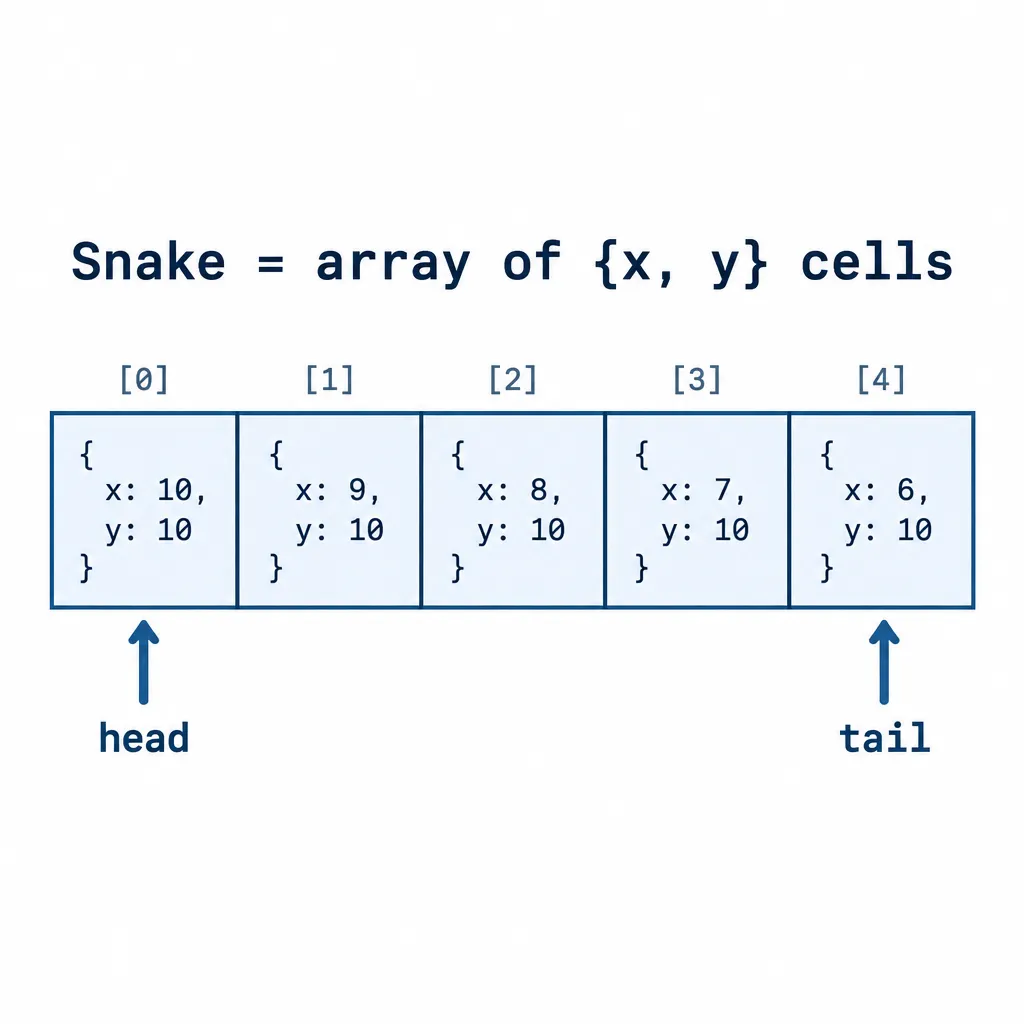
- Model the snake as an array of {x, y} cells: add a head each tick and drop the tail unless it just ate.
- Use requestAnimationFrame with a fixed tick so speed is the same on 60Hz and 144Hz screens.
- Read KeyboardEvent.key, not the deprecated keyCode, and call preventDefault() so arrow keys don’t scroll the page.
- Queue turns and apply one per tick. That is the real fix for the “snake reverses into itself” bug.
- A true Hamiltonian cycle makes an AI that never dies, and it is only about 15 lines.
Fact-checked
We checked these key facts against the sources named, on November 15, 2026:
- Every Snake game, from the 1997 Nokia version to Google’s, rests on five ideas (source: melmagazine.com)
- According to the Microsoft Devices blog, Snake’s roots go back to Blockade, a 1976 Gremlin arcade game (source: blogs.windows.com)
Play it first: the controls and what you build
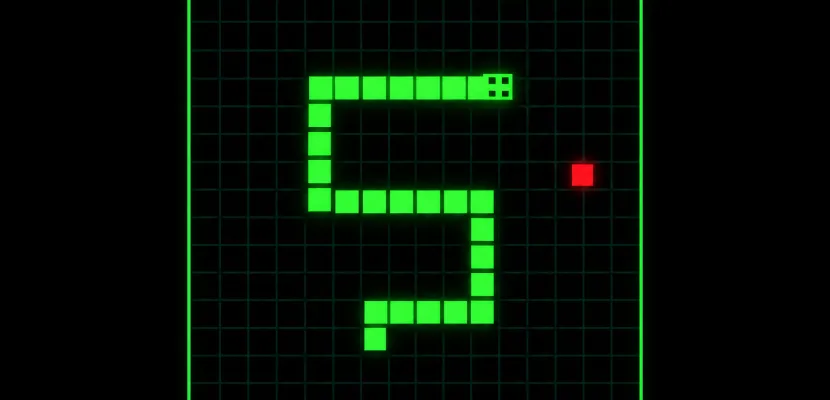
The finished game runs live in the “Try it live” section at the end of this page, ported to p5.js. The vanilla JavaScript version below plays the same way. It runs on a 20 by 20 grid, speeds up as you score and saves your best score in the browser.
Controls
| Action | Desktop | Phone or tablet |
|---|---|---|
| Steer | Arrow keys or W, A, S, D | Swipe on the board |
| Start | Any arrow key or Space | Swipe |
| Pause and resume | Space | Switch apps (auto-pause) |
| Restart after game over | Space | Tap the board |
What this page gives you: play, copy, understand, remix
You get four things in order. First comes a single file you can double-click to play. Then a plain-English model of how every Snake works, and a step-by-step build. Last come the remixes that turn the game into creative code: trail paintings, colour cycling, sound and an autopilot.
Copy-paste code: the complete Snake in one HTML file
The whole game below is one snake.html file with no libraries, no build step and no account. Save it, double-click it and it runs in any current version of Chrome, Firefox, Safari or Edge.
<!DOCTYPE html>
<html lang="en">
<head>
<meta charset="utf-8">
<meta name="viewport" content="width=device-width, initial-scale=1">
<title>Snake</title>
<style>
  body { margin: 0; min-height: 100vh; display: grid; place-items: center;
         background: #111; color: #eee; font: 16px system-ui, sans-serif; }
  canvas { width: min(90vw, 400px); aspect-ratio: 1; touch-action: none; background: #000; }
  p { text-align: center; }
</style>
</head>
<body>
<main>
  <canvas id="board" width="400" height="400" aria-label="Snake game board"></canvas>
  <p id="hud" aria-live="polite">Score 0 · Best 0</p>
</main>
<script>
const GRID = 20;               // cells per side
const CELL = 20;               // pixels per cell, so GRID * CELL = 400
const SIZE = GRID * CELL;
const canvas = document.getElementById('board');
const ctx = canvas.getContext('2d');
const hud = document.getElementById('hud');

const DIRS = {
  ArrowUp: {x: 0, y: -1},   w: {x: 0, y: -1},
  ArrowDown: {x: 0, y: 1},  s: {x: 0, y: 1},
  ArrowLeft: {x: -1, y: 0}, a: {x: -1, y: 0},
  ArrowRight: {x: 1, y: 0}, d: {x: 1, y: 0}
};

let snake, dir, queue, food, score, tickMs, alive, paused;
let best = Number(localStorage.getItem('snakeBest')) || 0;

function reset() {
  snake = [{x: 10, y: 10}, {x: 9, y: 10}, {x: 8, y: 10}];
  dir = {x: 1, y: 0};
  queue = [];
  score = 0;
  tickMs = 120;
  alive = true;
  paused = true;               // wait for the first key or swipe
  food = placeFood();
  updateHud();
}

// Pick from the empty cells only, so food never spawns inside the snake
function placeFood() {
  const free = [];
  for (let y = 0; y < GRID; y++)
    for (let x = 0; x < GRID; x++)
      if (!snake.some(s => s.x === x && s.y === y)) free.push({x, y});
  return free.length ? free[Math.floor(Math.random() * free.length)] : null;
}

// Queue a turn, checked against the last queued turn or the last real move
function turn(next) {
  const last = queue.length ? queue[queue.length - 1] : dir;
  if (next.x === -last.x && next.y === -last.y) return;  // no reversing
  if (next.x === last.x && next.y === last.y) return;    // ignore repeats
  if (queue.length < 3) queue.push(next);
  paused = false;
}

function step() {
  if (queue.length) dir = queue.shift();                  // one turn per tick
  const head = {x: snake[0].x + dir.x, y: snake[0].y + dir.y};
  const eating = food && head.x === food.x && head.y === food.y;
  const body = eating ? snake : snake.slice(0, -1);       // the tail moves away unless growing
  const hitWall = head.x < 0 || head.y < 0 || head.x >= GRID || head.y >= GRID;
  if (hitWall || body.some(s => s.x === head.x && s.y === head.y)) {
    alive = false;
    return;
  }
  snake.unshift(head);
  if (eating) {
    score++;
    tickMs = Math.max(60, 120 - score * 3);              // speed up as you score
    if (score > best) { best = score; localStorage.setItem('snakeBest', best); }
    food = placeFood();
    if (!food) alive = false;                             // board full: you win
  } else {
    snake.pop();
  }
  updateHud();
}

function draw() {
  ctx.fillStyle = '#000';
  ctx.fillRect(0, 0, SIZE, SIZE);
  if (food) { ctx.fillStyle = '#ff4d4d'; ctx.fillRect(food.x * CELL, food.y * CELL, CELL, CELL); }
  snake.forEach((s, i) => {
    ctx.fillStyle = i === 0 ? '#9dff9d' : '#2ecc71';
    ctx.fillRect(s.x * CELL + 1, s.y * CELL + 1, CELL - 2, CELL - 2);
  });
  if (!alive || paused) {
    ctx.fillStyle = 'rgba(0, 0, 0, 0.6)';
    ctx.fillRect(0, 0, SIZE, SIZE);
    ctx.fillStyle = '#fff';
    ctx.textAlign = 'center';
    ctx.font = '24px system-ui, sans-serif';
    ctx.fillText(alive ? 'Snake' : 'Game over', SIZE / 2, SIZE / 2);
    ctx.font = '14px system-ui, sans-serif';
    ctx.fillText(alive ? 'Arrow keys, WASD or swipe' : 'Space or tap to restart', SIZE / 2, SIZE / 2 + 28);
  }
}

function updateHud() { hud.textContent = `Score ${score} · Best ${best}`; }

// Fixed-tick loop: collect frame time, run whole steps, cap big jumps
let lastTime = performance.now(), acc = 0;
function frame(now) {
  acc += Math.min(now - lastTime, 250);
  lastTime = now;
  while (acc >= tickMs) {
    if (alive && !paused) step();
    acc -= tickMs;
  }
  draw();
  requestAnimationFrame(frame);
}

document.addEventListener('keydown', e => {
  if (e.isComposing || e.keyCode === 229) return;         // IME composition in progress
  const key = e.key.length === 1 ? e.key.toLowerCase() : e.key;
  if (key === ' ') {
    e.preventDefault();
    if (!alive) { reset(); paused = false; } else paused = !paused;
    return;
  }
  const next = DIRS[key];
  if (next) { e.preventDefault(); if (alive) turn(next); }
});

// Swipe controls with Pointer Events (works for touch, pen and mouse)
let start = null;
canvas.addEventListener('pointerdown', e => { start = {x: e.clientX, y: e.clientY}; });
canvas.addEventListener('pointerup', e => {
  if (!start) return;
  const dx = e.clientX - start.x, dy = e.clientY - start.y;
  start = null;
  if (!alive) { reset(); paused = false; return; }
  if (Math.max(Math.abs(dx), Math.abs(dy)) < 20) return;  // a tap, not a swipe
  if (Math.abs(dx) > Math.abs(dy)) turn({x: Math.sign(dx), y: 0});
  else turn({x: 0, y: Math.sign(dy)});
});

// Pause when the tab is hidden or the window loses focus
document.addEventListener('visibilitychange', () => { if (document.hidden) paused = true; });
window.addEventListener('blur', () => { paused = true; });

reset();
requestAnimationFrame(frame);
</script>
</body>
</html>
How to run it locally
- Create a file called
snake.htmlin any folder. - Paste the code above and save.
- Double-click the file. It opens in your default browser and runs.
- Press an arrow key to start.
A local server is optional. Everything stays inside the file, so file:// works fine.
Open it in CodePen or your editor
For CodePen, split the file into its three panels. The <style> contents go in CSS, the <script> contents in JS, and the <main> block in HTML. In VS Code, the Live Server extension reloads the page every time you save, which suits the step-by-step build below.
How Snake works: the five ideas behind every version
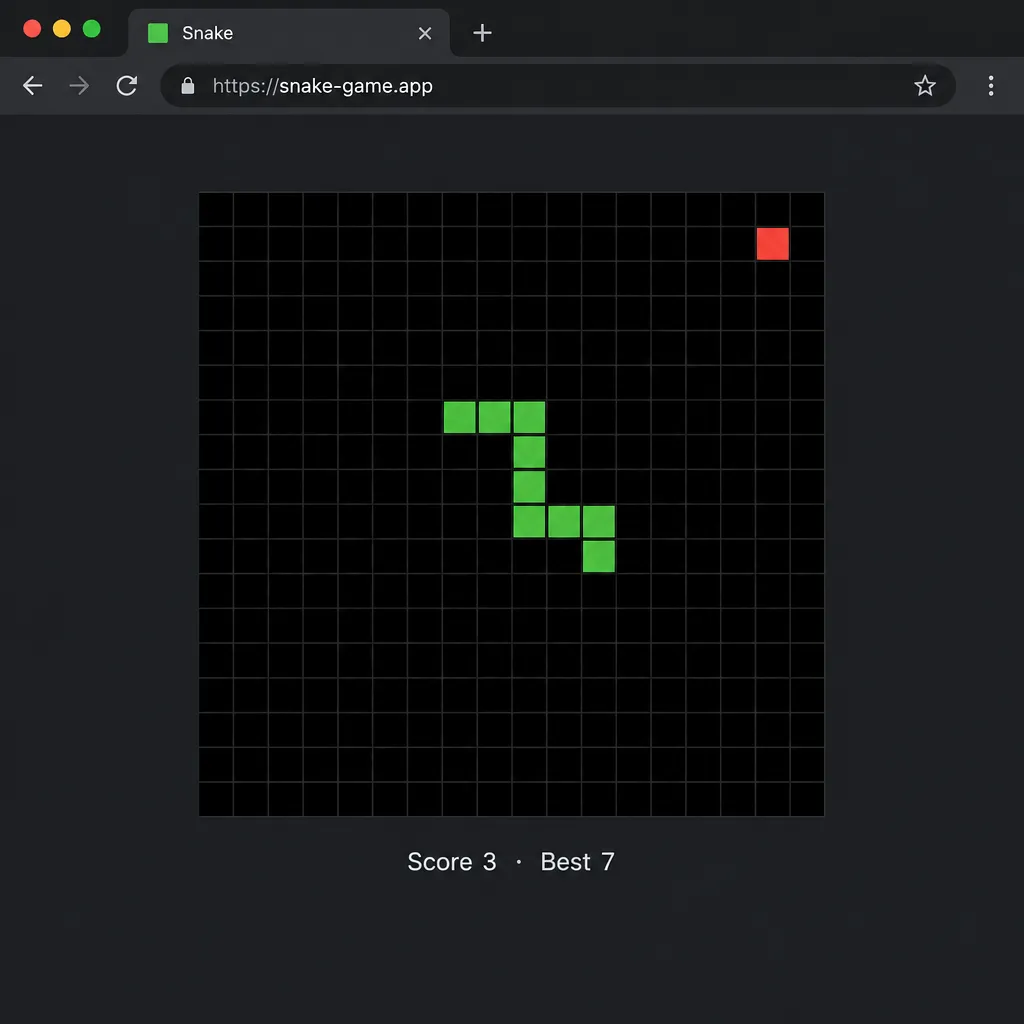
Every Snake game, from the 1997 Nokia version to Google’s, rests on five ideas. There’s a grid, a snake stored as a list of cells, a direction, a regular tick and a piece of food. Get those right and the rest is decoration.
Grid coordinates vs pixels
The game logic lives on a grid of whole-number cells. Pixels only appear when you draw. The Hack Club JavaScript Snake workshop uses the same setup as this page: a 20 by 20 grid with 20px cells, making a 400 by 400 canvas.
| Grid size | Cell size | Canvas size | Feel |
|---|---|---|---|
| 10 × 10 | 40px | 400 × 400 | Very short games, good for teaching |
| 20 × 20 | 20px | 400 × 400 | Classic balance (used here) |
| 30 × 30 | 20px | 600 × 600 | Long games, more room for AI |
| 40 × 30 | 20px | 800 × 600 | Widescreen, arcade feel |
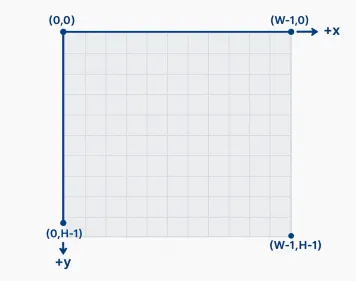
Canvas uses a top-left origin with y growing downwards, the same convention as Processing coordinates. That is why “up” is {x: 0, y: -1}.
Studio tip
Keep the snake as {x, y} grid cells and convert to pixels only inside draw() with x * CELL. Your collision logic stays simple, and you can resize the board by changing one number.
The snake is just an array
The snake is an ordered array. Index 0 is the head and the last item is the tail:
let snake = [{x: 10, y: 10}, {x: 9, y: 10}, {x: 8, y: 10}];
This is a list of three cells, heading right. Nothing else is stored. No body segments track their own direction.
Moving: add a head, drop a tail
Each tick you work out a new head one cell ahead, put it at the front with unshift() and remove the last cell with pop(). Every middle segment stays exactly where it was. Only the two ends change.
before:   [H][B][T]          heading right
unshift:  [N][H][B][T]       new head in front
pop:      [N][H][B]          tail removed, length unchanged
Growing: don’t drop the tail
When the new head lands on food, skip the pop(). The array ends up one cell longer, and the snake has grown. That one if is the whole growth system.
Build it step by step
The seven steps below build the file above in the order a workshop would. Each ends with a checkpoint you can run in the browser before moving on.
Quick steps: build Snake in JavaScript
- Make a canvas and set the grid size.
- Draw the snake from its array.
- Start a fixed-tick game loop.
- Read arrow keys with event.key.
- Place food on an empty cell.
- Detect wall and self collisions.
- Add score, high score and restart.
Step 1: Canvas and grid
Create a 400 by 400 canvas and grab its CanvasRenderingContext2D. That object does all the drawing.
const GRID = 20, CELL = 20, SIZE = GRID * CELL;
const canvas = document.getElementById('board');
const ctx = canvas.getContext('2d');
ctx.fillStyle = '#000';
ctx.fillRect(0, 0, SIZE, SIZE);
Checkpoint: you should see a black square.
Step 2: Draw the snake
Loop over the array and fill one square per cell. Insetting by 1px leaves a thin gap so you can see each segment.
snake.forEach((s, i) => {
  ctx.fillStyle = i === 0 ? '#9dff9d' : '#2ecc71';
  ctx.fillRect(s.x * CELL + 1, s.y * CELL + 1, CELL - 2, CELL - 2);
});
Checkpoint: three green squares near the centre, the head a lighter shade.
Step 3: The game loop (requestAnimationFrame + fixed tick)
Use requestAnimationFrame for drawing and a fixed tick for logic. Each frame adds its elapsed time to an accumulator. Each time the total passes tickMs, you run one step(). That pattern is laid out in Jake Gordon’s game-loop article on Code Incomplete. It keeps the snake moving at the same speed on any monitor.
let lastTime = performance.now(), acc = 0;
function frame(now) {
  acc += Math.min(now - lastTime, 250);   // cap so a tab switch can't cause a burst
  lastTime = now;
  while (acc >= tickMs) { step(); acc -= tickMs; }
  draw();
  requestAnimationFrame(frame);
}
The 250ms cap matters. Without it, a tab that sat in the background for ten seconds would run dozens of steps at once when you came back. Code Incomplete calls that runaway catch-up the “spiral of death”.
Speed-up is one line inside step(). tickMs = Math.max(60, 120 - score * 3) cuts 3ms per apple until it reaches a 60ms floor.
| Loop method | Timing accuracy | Pauses in background tab | Speed tied to refresh rate? | Use when |
|---|---|---|---|---|
setInterval(step, 100) |
Fair, drifts under load | Throttled, keeps running slowly | No | Quick prototypes, grid-of-divs tutorials |
Chained setTimeout |
Fair | Throttled | No | Changing speed each tick without clearing an interval |
| requestAnimationFrame, one step per frame | Smooth | Yes | Yes (144Hz runs 2.4× faster than 60Hz) | Never for Snake logic |
| requestAnimationFrame + fixed tick | Smooth and consistent | Yes | No | Anything you want to ship |
Checkpoint: the snake glides right and stops at the wall. Collisions come in Step 6.
Step 4: Keyboard input with event.key
Read event.key, which gives readable strings such as 'ArrowUp' or 'w'. MDN Web Docs marks KeyboardEvent.keyCode as deprecated. It points to KeyboardEvent.key for the character produced, or KeyboardEvent.code for the physical key.
document.addEventListener('keydown', e => {
  const key = e.key.length === 1 ? e.key.toLowerCase() : e.key;
  const next = DIRS[key];
  if (next) { e.preventDefault(); turn(next); }
});
Lowercasing single characters means W with Caps Lock on still steers. Want WASD to sit in the same place on AZERTY keyboards? Map e.code values ('KeyW', 'KeyA') instead.
Checkpoint: arrow keys steer the snake and the page no longer scrolls.
Step 5: Food that never spawns on the snake
Build a list of empty cells and pick one at random. Plenty of tutorials instead pick a random cell and retry if it’s taken. That works early on but gets slower as the snake fills the board, and it can loop forever on a full board.
function placeFood() {
  const free = [];
  for (let y = 0; y < GRID; y++)
    for (let x = 0; x < GRID; x++)
      if (!snake.some(s => s.x === x && s.y === y)) free.push({x, y});
  return free.length ? free[Math.floor(Math.random() * free.length)] : null;
}
A null result means the board is full and the player has won.
Studio tip
Picking from the free-cell list costs the same on move 1 and move 390. On a 20 by 20 board that is at most 400 cells, which is nothing for a modern browser.
Step 6: Collisions: walls, wrap-around and self
Check the new head before you add it. A wall hit means any coordinate is below 0 or at least GRID. A self hit means the head matches a body cell.
The subtle part is the tail. On a normal move the tail cell empties during the same tick, so chasing your own tail is legal. That is why the code checks against snake.slice(0, -1) unless the snake is eating.
const body = eating ? snake : snake.slice(0, -1);
const hitWall = head.x < 0 || head.y < 0 || head.x >= GRID || head.y >= GRID;
if (hitWall || body.some(s => s.x === head.x && s.y === head.y)) alive = false;
Checkpoint: hitting a wall or your own body shows “Game over”.
Step 7: Score, high score in localStorage, game over and restart
The score goes up by one per apple. The best score lives in localStorage, which keeps it per site across browser restarts. localStorage stores strings only, so read it back with Number().
let best = Number(localStorage.getItem('snakeBest')) || 0;
if (score > best) { best = score; localStorage.setItem('snakeBest', best); }
Restart is just reset(), which rebuilds the starting array and clears the queue. Pressing Space or tapping after game over calls it.
Fixing the bugs everyone hits
Most “please help with my snake game” threads come down to six bugs. All of them have one-line fixes. The reversal bug causes the most confusion, so it gets the most space here.
| Symptom | Cause | Fix (one line) |
|---|---|---|
| Snake turns around and dies when two keys are pressed fast | Several direction changes land inside one tick | Queue turns, apply one per tick, reject the opposite of the last move |
| Page scrolls when you press arrows | Arrow keys scroll by default | Call e.preventDefault() for the keys you handle |
| Game runs faster on some monitors | Logic runs once per rendered frame | Run logic on a fixed tick with an accumulator |
| Snake jumps or dies right after a tab switch | Huge elapsed time gets replayed at once | Cap elapsed time (about 250ms) and pause on visibilitychange |
| Food appears inside the body | Random cell picked without checking | Pick from the list of empty cells |
| Keys ignored or doubled while typing in Japanese, Chinese or Korean | IME composition sends keydown with keyCode 229 | Return early if e.isComposing or e.keyCode === 229 |
Why your snake turns around and dies
Readers describe it the same way: “player moves right, I quickly press up and then left and the snake dies.” The naive code sets dir inside the key handler. Press Up then Left within one 100ms tick and dir becomes Left before the snake ever moved up. The “can’t reverse” check compared Left with Up, so it passed. But the snake is still physically heading right, and it drives straight into its own neck.
The fix has two parts:
- Store pending turns in a queue instead of overwriting
dir. - Check each new turn against the last queued turn, or against the direction the snake actually last moved. Then shift only one turn off the queue per tick.
Now Up then Left becomes two real moves on two ticks, which is exactly what the player meant. Capping the queue at three keeps a held key from building a long backlog.
Studio tip
Never compare a new turn with the latest key pressed. Compare it with the last direction the snake really moved, or with the last turn still waiting in the queue.
Why the page scrolls when you press arrows
Arrow keys and Space scroll the page by default. Calling e.preventDefault() inside your keydown handler stops that, but only for the keys you actually use. Don’t block every key, or Tab focus and browser shortcuts break for keyboard users.
Why it runs faster on some monitors
requestAnimationFrame fires once per display refresh. That is 60 times a second on a standard screen and 120 or 144 on many phones and gaming monitors. Move the snake once per frame and it moves 2.4 times faster on a 144Hz display. The fixed tick from Step 3 separates game speed from frame rate entirely.
Make it work on phones
Mobile needs three things: swipe input, a canvas that scales to the screen, and crisp pixels on high-density displays. The single file above already has the first two.
Swipe controls
Pointer Events give you one API for touch, pen and mouse. Record where pointerdown happened. On pointerup, measure the distance and turn along the longer axis. Movements under 20px count as taps. The CSS touch-action: none on the canvas stops the browser from scrolling or zooming while someone swipes.
An on-screen d-pad is an alternative for players who find swiping imprecise. Four buttons that call turn({x, y}) on pointerdown reuse the same queue.
Sharp canvas on retina screens
A 400px canvas shown on a 3× phone screen looks soft. Scale the backing store by devicePixelRatio, then scale the context so your drawing code keeps using 400px logic:
const dpr = window.devicePixelRatio || 1;
canvas.width = SIZE * dpr;
canvas.height = SIZE * dpr;
ctx.scale(dpr, dpr);   // keep drawing in 0..400 coordinates
For full screen, put a button on the page that calls canvas.requestFullscreen(). This Fullscreen API route works inside the page. Older instructions to “press F11” depend on the browser and do nothing on phones.
Accessibility costs a few lines too. The file pauses on blur and visibilitychange, and the score line uses aria-live so screen readers announce it. Check matchMedia('(prefers-reduced-motion: reduce)').matches to start with a slower tick for users who ask for less motion. A high-contrast palette (pure white snake, yellow food, black board) helps low-vision players more than subtle greens.
Canvas vs grid of divs: which should you use?
Use canvas. It draws faster, it’s easier to remix into art and it’s what most games use. A grid of divs suits you if you know CSS better than JavaScript, because each cell is a styleable element. That’s the route the Scrimba and freeCodeCamp tutorials take.
| Approach | How the board is drawn | Best for | Performance | Example tutorial |
|---|---|---|---|---|
| HTML5 Canvas API | Repaint every cell with fillRect each frame |
Games, visual effects, generative art | Excellent at any grid size | Hack Club workshop (20×20 grid, 20px cells) |
| Grid of divs | One <div> per cell, toggle CSS classes |
CSS-first learners, inspecting cells in DevTools | Fine for small boards, slows as cell count grows | freeCodeCamp (10×10 board of 100 divs), Scrimba course |
| Absolute-positioned DOM | Move one element per snake segment | Older menu-heavy games | Adequate | patorjk’s JavaScript-Snake |
The counter-argument is real. Divs give you hover states, transitions and DevTools inspection for free, and a 10 by 10 board will never strain a browser. If your goal is learning the DOM, divs teach more. If your goal is a game you’ll keep extending, canvas wins.
Remix it: Snake as creative code
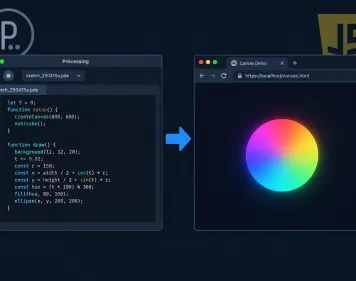
Snake makes a good creative-coding base because it is already a drawing machine: a point moving on a grid and leaving a path. Each remix below is a small edit to the single file. The same ideas port directly to p5.js, the free JavaScript library built for artists.
Trail painting
Stop clearing the board, and the snake’s path builds up into a generative drawing. Swap the black fillRect at the top of draw() for a near-transparent one:
ctx.fillStyle = 'rgba(0, 0, 0, 0.03)';   // faint fade: older trail slowly sinks
ctx.fillRect(0, 0, SIZE, SIZE);
At 0.03 the trail fades over a few seconds. At 0 it never fades, so a long game becomes a woven grid pattern you can save with canvas.toDataURL().
Rainbow body
Colour each segment by its index plus a value that changes over time. HSL makes this one line:
const hue = (performance.now() / 20 + i * 12) % 360;
ctx.fillStyle = `hsl(${hue} 80% 55%)`;
Colour bands then flow from head to tail, and a longer snake shows more of the spectrum.
Sound on eat
The Web Audio API can make a retro blip with no sound files. Raise the pitch with the snake’s length so the sound tells you how well you’re doing:
const audio = new AudioContext();
function blip(length) {
  const osc = audio.createOscillator();
  const gain = audio.createGain();
  osc.type = 'square';
  osc.frequency.value = 220 + length * 15;          // longer snake, higher note
  gain.gain.setValueAtTime(0.15, audio.currentTime);
  gain.gain.exponentialRampToValueAtTime(0.001, audio.currentTime + 0.12);
  osc.connect(gain).connect(audio.destination);
  osc.start();
  osc.stop(audio.currentTime + 0.12);
}
Call blip(snake.length) inside the if (eating) branch.
Heads up
Browsers start an AudioContext suspended until the user interacts with the page. Call audio.resume() inside your keydown or pointerup handler, or the first blips will be silent.
Wrap-around world
Swap the wall death for a toroidal world where leaving one edge brings you in on the opposite side. Modulo does it, with + GRID so negative values wrap correctly:
head.x = (head.x + GRID) % GRID;
head.y = (head.y + GRID) % GRID;
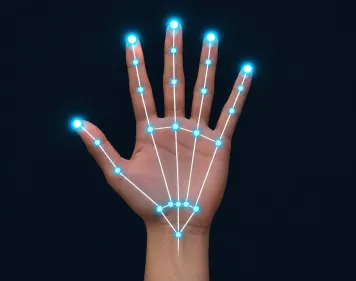
Delete hitWall from the collision check. The game now ends only on self collision, which suits long, calm games and trail paintings. For a physical version, you can steer the snake with hand tracking in the browser using ml5.js, mapping index-finger position to turn().
Let the computer play: a simple Snake AI
A greedy AI that heads straight for the apple is easy to write but traps itself once the snake gets long. An AI that follows a Hamiltonian cycle (a path visiting every cell exactly once and returning to the start) never dies. The catch is that it plays slowly.
Greedy AI in 15 lines
Each tick, list the safe moves and pick the one closest to the food by Manhattan distance:
function greedy() {
  const h = snake[0];
  const options = [{x: 1, y: 0}, {x: -1, y: 0}, {x: 0, y: 1}, {x: 0, y: -1}]
    .filter(d => !(d.x === -dir.x && d.y === -dir.y))
    .filter(d => {
      const nx = h.x + d.x, ny = h.y + d.y;
      return nx >= 0 && ny >= 0 && nx < GRID && ny < GRID &&
        !snake.some(s => s.x === nx && s.y === ny);
    });
  if (!options.length) return dir;                     // trapped
  const dist = d => Math.abs(h.x + d.x - food.x) + Math.abs(h.y + d.y - food.y);
  options.sort((a, b) => dist(a) - dist(b));
  return options[0];
}
It looks clever early on. Later it curls into pockets of its own body with no exit, because it only looks one move ahead.
A real Hamiltonian cycle
On a grid with an even number of rows, you can build a loop through every cell. Zig-zag across columns 1 onwards, row by row, then return up column 0:
function buildCycle(n) {                   // n must be even
  const order = [];
  for (let y = 0; y < n; y++) {
    if (y % 2 === 0) for (let x = 1; x < n; x++) order.push({x, y});
    else for (let x = n - 1; x >= 1; x--) order.push({x, y});
  }
  for (let y = n - 1; y >= 0; y--) order.push({x: 0, y});
  return order;
}
const cycle = buildCycle(GRID);
const indexOf = new Map(cycle.map((c, i) => [c.x + ',' + c.y, i]));

function autopilot() {
  const h = snake[0];
  const next = cycle[(indexOf.get(h.x + ',' + h.y) + 1) % cycle.length];
  return {x: next.x - h.x, y: next.y - h.y};
}
In step(), replace the queue line with dir = autopilot();. The starting snake at (10,10), (9,10), (8,10) already lies along row 10 of the cycle. That matters: switch the autopilot on mid-game and the body may cross the path.
Because the snake only ever follows the loop, its body always trails behind the head on the same path. It can’t collide until it fills all 400 cells. The cost is speed: each apple can take up to 399 moves. Faster solvers take shortcuts along the cycle when the gap to the tail is big enough.
patorjk’s JavaScript-Snake exposes a moveSnakeWithAI hook for plugging in your own logic. Its README admits the bundled example is “NOT a real hamiltonian cycle”, so the version above is a useful upgrade.
Other JavaScript Snake versions worth studying
The best-known open-source build to fork is patorjk’s. It has a clear MIT licence, and the live site runs five modes and 14 community themes. Each of the others teaches something different.
| Version | Year/era | Rendering | Code available | Mobile controls | Notable feature |
|---|---|---|---|---|---|
| patorjk (Patrick Gillespie) JavaScript-Snake | Over a decade old, still maintained | DOM | GitHub, MIT, about 597 stars, 679 forks | On-screen buttons | Easy, Medium, Hard, Impossible and Rush modes; AI hook |
| Jake Gordon’s Snakes (Code Incomplete) | August 2011 | Canvas with DOM menu | View source (pure HTML/JS/CSS) | Keyboard only | Detailed build write-up, audio effects |
| Scrimba course by Ania Kubow | Current | Grid of divs | Video screencast | Not covered | 99 minutes, 19 JavaScript methods, 10 languages |
| Hack Club workshop | Current | Canvas, 20×20 grid | Workshop page | Not covered | Beginner-friendly club format |
| freeCodeCamp tutorial | Current | 100 divs (10×10) | Article | Not covered | CSS grid approach |
| Google Snake | 2017 to present | In Google Search | Not public | Touch and keyboard | Playable card for “play snake” |
A few notes before you fork:
- patorjk: the repo has 266 commits. It runs locally with
npx parcel src/index.htmlonlocalhost:1234, using the Parcel bundler. A 2025 README note says CSS breaks inside the CodeSandbox embed, though the live game works. - Jake Gordon: the finished game credits Sizzle, Bernie Sumption’s Animator, stats.js by Mr.doob and Gordon’s own javascript-state-machine and javascript-audio-fx libraries. These days
document.querySelector, the Web Audio API and requestAnimationFrame cover most of that. - Scrimba: it still has a lesson on keyCodes. Swap that for
event.keyas you follow along.
Did you know?
patorjk’s JavaScript-Snake repo on GitHub has more forks (679) than stars (about 597). Plenty of people copy it as a starting point for their own version.
A 50-year-old game in 150 lines: a short history of Snake
Snake started in arcades, peaked on phones and now lives in search results. The core rule has barely changed since 1976: keep moving, don’t hit anything, including yourself.
| Year | Milestone | Who |
|---|---|---|
| 1976 | Blockade, a two-player arcade game where each player leaves a growing wall | Developed and published by Gremlin |
| 1997 | Snake on the Nokia 6110 | Nokia engineer Taneli Armanto |
| 2000 | Snake II ships on the Nokia 3310 | Nokia |
| 2012 | Reported as available on over 350 million phones | Microsoft Devices blog |
| 2017 | Playable “Play Snake” card in Google Search, desktop and mobile | Google, reported by Search Engine Land |
Did you know?
According to the Microsoft Devices blog, Snake’s roots go back to Blockade, a 1976 Gremlin arcade game. That makes the idea older than the Nokia phones it became famous on by more than 20 years.
FAQ
How do you make a snake game in JavaScript?
Make a canvas and store the snake as an array of {x, y} grid cells. On a fixed tick, add a new head in the current direction and remove the tail unless the snake just ate. Read arrow keys with event.key, end the game on wall or self collision, and place food on a random empty cell.
Is Snake easy to code?
Yes. Snake is one of the easiest real games to build, because the whole state fits in an array, a direction and a food position. The only tricky parts are the reversal bug and frame-rate-independent timing, both covered above.
How long does it take to code Snake in JavaScript?
A first working version usually takes a beginner an afternoon. Scrimba’s guided course runs 99 minutes. If you already know JavaScript, copying the single file and adapting it takes minutes. Building it yourself from the seven steps takes an hour or two.
Is JavaScript camelCase or snake_case?
JavaScript uses camelCase for variables and functions (placeFood, tickMs), PascalCase for classes and UPPER_CASE for constants (GRID, CELL). These are community conventions, not language rules, so snake_case still runs. It just looks out of place next to built-in APIs like addEventListener.
How do you code Snake in Java, and how is it different from JavaScript?
The logic is the same: a list of points, add a head, remove a tail. Java usually draws in a Swing JPanel and ticks with javax.swing.Timer. It reads keys through a KeyListener with KeyEvent.VK_UP constants and needs compiling. JavaScript runs in the browser with no compile step. The two languages share little beyond their names.
Can I copy and paste a JavaScript Snake game?
Yes. The single-file version on this page runs as soon as you save it as snake.html and open it. If you build on someone else’s open-source version, such as patorjk’s MIT-licensed repo, keep the licence notice in your copy.
Should I use canvas or divs for a Snake game?
Use canvas for performance, visual effects and remixes. Use a grid of divs if you’re learning CSS and DOM manipulation and want to inspect each cell in DevTools.
Why does my snake die when I press two keys quickly?
Two turns landed inside one tick, so the second turn reversed the snake into its own body before it moved. Queue direction changes, apply one per tick, and reject any turn opposite to the last direction actually moved.
How do I make the snake go faster as it grows?
Shrink the tick interval each time the snake eats, with a floor so it stays playable. For example, tickMs = Math.max(60, 120 - score * 3). With a fixed-tick loop, the new interval takes effect on the next frame.
How do I add touch controls to a JavaScript Snake game?
Listen for pointerdown and pointerup on the canvas. Measure the swipe distance and turn along whichever axis moved further. Add touch-action: none to the canvas CSS so the page doesn’t scroll while you swipe.
Try it live
This p5.js port of the game plays exactly like the vanilla version: fixed tick, turn queue, swipe input and a saved best score. Once it runs, try one remix at a time. The trail-painting change alone turns a game of Snake into a drawing machine.
// Snake in p5.js: arrows or WASD to steer, swipe on touch, space to pause
const GRID = 20;  // cells per side
const CELL = 20;  // pixels per cell, so the canvas is 400 x 400
let snake, dir, queue, food, score, best, tickMs, alive, paused;
let acc = 0;
let startX = 0, startY = 0;

const KEYS = {
  ArrowUp: [0, -1], w: [0, -1], ArrowDown: [0, 1], s: [0, 1],
  ArrowLeft: [-1, 0], a: [-1, 0], ArrowRight: [1, 0], d: [1, 0]
};

function setup() {
  createCanvas(GRID * CELL, GRID * CELL);
  textAlign(CENTER, CENTER);
  best = getItem('snakeBest') || 0;
  resetGame();
}

function resetGame() {
  snake = [{ x: 10, y: 10 }, { x: 9, y: 10 }, { x: 8, y: 10 }];
  dir = { x: 1, y: 0 };
  queue = [];
  score = 0;
  tickMs = 120;
  alive = true;
  paused = true;  // wait for the first key or swipe
  food = placeFood();
}

function placeFood() {
  // Pick from the empty cells only, so food never lands on the snake
  const free = [];
  for (let y = 0; y < GRID; y++) {
    for (let x = 0; x < GRID; x++) {
      if (!snake.some(s => s.x === x && s.y === y)) free.push({ x, y });
    }
  }
  return free.length ? random(free) : null;
}

function turn(next) {
  // Compare with the last queued turn, or the direction actually moved
  const last = queue.length ? queue[queue.length - 1] : dir;
  if (next.x === -last.x && next.y === -last.y) return;
  if (next.x === last.x && next.y === last.y) return;
  if (queue.length < 3) queue.push(next);
  paused = false;
}

function step() {
  if (queue.length) dir = queue.shift();  // at most one turn per tick
  const head = { x: snake[0].x + dir.x, y: snake[0].y + dir.y };
  const eating = food && head.x === food.x && head.y === food.y;
  const body = eating ? snake : snake.slice(0, -1);  // the tail moves away unless growing
  const hitWall = head.x < 0 || head.y < 0 || head.x >= GRID || head.y >= GRID;
  if (hitWall || body.some(s => s.x === head.x && s.y === head.y)) {
    alive = false;
    return;
  }
  snake.unshift(head);
  if (eating) {
    score++;
    tickMs = max(60, 120 - score * 3);  // speed up as the score rises
    if (score > best) { best = score; storeItem('snakeBest', best); }
    food = placeFood();
    if (!food) alive = false;  // board full: you win
  } else {
    snake.pop();
  }
}

function draw() {
  // Fixed tick: add frame time, run whole steps, cap jumps after tab switches
  acc += min(deltaTime, 250);
  while (acc >= tickMs) {
    if (alive && !paused) step();
    acc -= tickMs;
  }
  background(15);
  noStroke();
  if (food) { fill(255, 77, 77); rect(food.x * CELL, food.y * CELL, CELL, CELL, 4); }
  snake.forEach((s, i) => {
    fill(i === 0 ? color(157, 255, 157) : color(46, 204, 113));
    rect(s.x * CELL + 1, s.y * CELL + 1, CELL - 2, CELL - 2, 3);
  });
  fill(255);
  textSize(14);
  text('Score ' + score + '   Best ' + best, width / 2, 14);
  if (!alive || paused) {
    fill(0, 160);
    rect(0, 0, width, height);
    fill(255);
    textSize(26);
    text(alive ? 'Snake' : 'Game over', width / 2, height / 2 - 14);
    textSize(14);
    text(alive ? 'Arrow keys, WASD or swipe to play' : 'Space or tap to restart', width / 2, height / 2 + 18);
  }
}

function keyPressed() {
  const k = key.length === 1 ? key.toLowerCase() : key;
  if (k === ' ') {
    if (!alive) { resetGame(); paused = false; } else paused = !paused;
    return false;  // stop the page from scrolling
  }
  if (KEYS[k]) {
    if (alive) turn({ x: KEYS[k][0], y: KEYS[k][1] });
    return false;  // stop arrow keys from scrolling the page
  }
}

function mousePressed() { startX = mouseX; startY = mouseY; }

function mouseReleased() {
  // Swipe: turn along whichever axis moved further
  const dx = mouseX - startX, dy = mouseY - startY;
  if (!alive) { resetGame(); paused = false; return; }
  if (max(abs(dx), abs(dy)) < 20) return;  // a tap, not a swipe
  if (abs(dx) > abs(dy)) turn({ x: Math.sign(dx), y: 0 });
  else turn({ x: 0, y: Math.sign(dy) });
}
On this article
- Facts were checked against the sources below before publication.
- Published
Sources (8)
- KeyboardEvent: keyCode property - MDN Web Docs (developer.mozilla.org)
- KeyboardEvent: keyCode deprecation hints have contradicting info wrt what to use instead #33694 (github.com)
- keydown event - MDN Web Docs (developer.mozilla.org)
- patorjk/JavaScript-Snake on GitHub (github.com)
- JavaScript Snake - patorjk.com (patorjk.com)
- Build a Snake game in JavaScript - Scrimba (scrimba.com)
- Build a Snake game in JavaScript - Scrimba (course outline) (scrimba.com)
- Starting a Snakes Game - Code Incomplete (codeincomplete.com)