Skip to content
Demos Lab
  • p5.js
  • TouchDesigner
  • Generative Art
  • Installations
  • Physical Computing
  • Tools
  • Media Art
  • About

Projection Mapping, Interactive Installations and Live Visuals

This hub collects Demos Lab's guides to digital art built for physical space: projection mapping onto buildings and objects, sensor-driven installations, LED sculptures, live VJ sets and fully immersive rooms. It is written for creative coders, media artists and technicians who want to plan, build and run work outside the screen, from a first projector test at home to a gallery show or festival commission.

What you'll find here

Projection Mapping Techniques

Practical walkthroughs on aligning projectors to real surfaces, warping and masking content, blending multiple outputs, and choosing hardware that suits your throw distance and ambient light.

Interactive Installation Builds

How to connect depth cameras, sensors and microcontrollers to generative visuals so that an audience's movement, touch or sound changes the piece in real time.

LED Art and Pixel Mapping

Guides to driving LED strips, panels and custom fixtures over DMX and Art-Net, with advice on wiring, power planning and pixel mapping that holds up on site.

VJing and Immersive Rooms

Workflows for running Resolume and MadMapper in live performance, plus design approaches for multi-wall spaces where projection, light and sound surround visitors.

Home » Installations & Projection
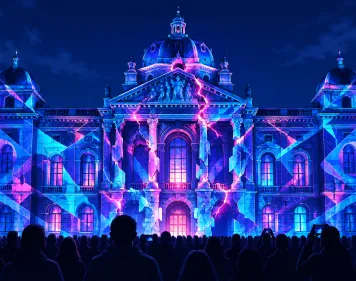
Projection Mapping Hero
October 21, 2026 by Demos Lab Editorial Team
Installations & Projection

What projection mapping is and why artists use it

Projection mapping is the technique of aiming a projector at a surface that isn’t a flat screen, such as a building, a sculpture, a…

Read article →

Latest experiments

  • Depth Testing Hero
    Depth Testing in the Graphics Pipeline Explained
  • 3D Camera LookAt Hero
    Aiming a 3D Camera with lookAt and Understanding the View Frustum
  • TouchDesigner DAT Node Hero
    What a DAT Is in TouchDesigner and What DAT Stands For
  • Analog Joystick Hero
    Analog Joysticks Explained for Custom Controllers and Arduino
  • Multimedia Artwork Hero
    What Makes a Multimedia Artwork and How It Uses Each Element

Sections

  • Creative Coding Tools (2)
  • Generative Art & Shaders (3)
  • Installations & Projection (1)
  • New Media Art (2)
  • p5.js & Processing (2)
  • Physical Computing (2)
  • TouchDesigner (2)

Demos Lab

Creative coding and interactive media art

Sections

  • Creative Coding Tools
  • Generative Art & Shaders
  • Installations & Projection
  • New Media Art
  • p5.js & Processing
  • Physical Computing
  • TouchDesigner

Latest

  • Depth Testing in the Graphics Pipeline Explained
  • Aiming a 3D Camera with lookAt and Understanding the View Frustum
  • What a DAT Is in TouchDesigner and What DAT Stands For
  • Analog Joysticks Explained for Custom Controllers and Arduino
  • What Makes a Multimedia Artwork and How It Uses Each Element

© 2026 Demos Lab.
  • About
  • Code & Credits
  • Privacy Policy
  • Terms of Use
×