Skip to content
Demos Lab
  • p5.js
  • TouchDesigner
  • Generative Art
  • Installations
  • Physical Computing
  • Tools
  • Media Art
  • About

Physical Computing for Artists and Creative Coders

Physical computing is where code leaves the screen and starts sensing, reacting to and moving things in the real world. This hub gathers Demos Lab's guides on Arduino, microcontrollers, sensors, depth cameras and interactive hardware. It is written for artists, designers and creative coders who build installations, prototypes and responsive objects.

What you'll find here

Arduino and microcontroller projects

Hands-on builds with boards like Arduino, ESP32 and Raspberry Pi Pico, from blinking a first LED to wiring a complete interactive piece.

Sensors and input

Practical walkthroughs on reading light, distance, motion, touch and sound, then smoothing noisy readings into data your sketches can rely on.

Kinect and depth cameras

How to use Kinect and newer depth sensors for body tracking, gesture control and point-cloud visuals in tools like Processing, openFrameworks and TouchDesigner.

Interactive hardware for installations

Working advice on motors, LEDs, power supplies, enclosures and serial communication so your project holds up through weeks in a gallery as well as an afternoon on your desk.

Home » Physical Computing
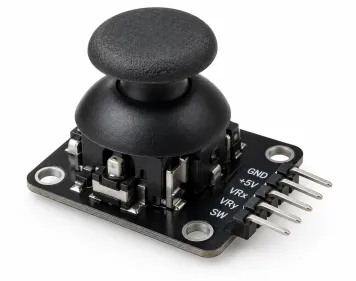
Analog Joystick Hero
October 28, 2026 by Demos Lab Editorial Team
Physical Computing

Analog Joysticks Explained for Custom Controllers and Arduino

An analog joystick is a spring-centred stick that reports how far and in which direction you push it, not just whether you pushed it.…

Read article →
Arduino Art Installation Hero
October 22, 2026 by Demos Lab Editorial Team
Physical Computing

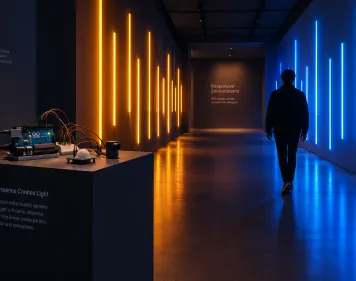
Arduino Projects for Artists and Interactive Installations

The best Arduino projects for artists turn a sensor reading into light, motion or sound: a corridor of LEDs that brightens as you approach,…

Read article →
Latest experiments

  • Depth Testing Hero
    Depth Testing in the Graphics Pipeline Explained
  • 3D Camera LookAt Hero
    Aiming a 3D Camera with lookAt and Understanding the View Frustum
  • TouchDesigner DAT Node Hero
    What a DAT Is in TouchDesigner and What DAT Stands For
  • Analog Joystick Hero
    Analog Joysticks Explained for Custom Controllers and Arduino
  • Multimedia Artwork Hero
    What Makes a Multimedia Artwork and How It Uses Each Element

Sections

  • Creative Coding Tools (2)
  • Generative Art & Shaders (3)
  • Installations & Projection (1)
  • New Media Art (2)
  • p5.js & Processing (2)
  • Physical Computing (2)
  • TouchDesigner (2)

Demos Lab

Creative coding and interactive media art

Sections

  • Creative Coding Tools
  • Generative Art & Shaders
  • Installations & Projection
  • New Media Art
  • p5.js & Processing
  • Physical Computing
  • TouchDesigner

Latest

  • Depth Testing in the Graphics Pipeline Explained
  • Aiming a 3D Camera with lookAt and Understanding the View Frustum
  • What a DAT Is in TouchDesigner and What DAT Stands For
  • Analog Joysticks Explained for Custom Controllers and Arduino
  • What Makes a Multimedia Artwork and How It Uses Each Element

© 2026 Demos Lab.
  • About
  • Code & Credits
  • Privacy Policy
  • Terms of Use
×