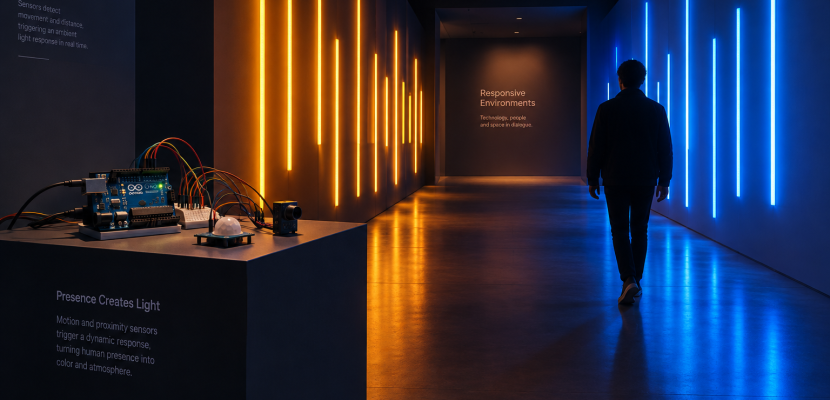
The best Arduino projects for artists turn a sensor reading into light, motion or sound: a corridor of LEDs that brightens as you approach, a wall of servos that ripples, a painted surface that plays a note when touched. This list gives you 15 builds grouped by output, the boards and sensors that suit each one, and the reliability habits that keep a piece running for a month in a gallery rather than an evening on your desk.
Why Arduino still suits art and installation work
Arduino came out of the Interaction Design Institute Ivrea in Italy in 2005, built by Massimo Banzi, David Cuartielles, Tom Igoe, Gianluca Martino and David Mellis, and it grew from Hernando Barragán’s Wiring project. Wiring was itself modelled on Processing, the language Casey Reas and Ben Fry released in 2001. That lineage explains why the platform feels familiar if you already sketch in code. The structure is the same: a setup() that runs once and a loop() that runs forever.
For DIY Arduino work in an art context, three things matter more than raw speed. You need a large library ecosystem so you are not writing LED timing code from scratch. You need forgiving 5V or 3.3V I/O that tolerates breadboard mistakes. And you need a board you can replace cheaply when a visitor kicks a plinth. The Arduino IDE is free and open source, the core libraries are free, and the hardware designs are open, which is why clone boards exist at every price point.
Pick a board before you pick a project
Most installation projects run happily on an Uno. You only need something else when you want wireless control, native USB keyboard behaviour, lots of pins, or a tiny footprint inside a sculpture.
| Board | Microcontroller | Clock | Flash / SRAM | Why an artist would choose it |
|---|---|---|---|---|
| Uno R3 | ATmega328P | 16 MHz | 32 KB / 2 KB | Most tutorials assume it; 5V logic; huge shield support |
| Uno R4 Minima | Renesas RA4M1 (Arm Cortex-M4) | 48 MHz | 256 KB / 32 KB | Uno shape with far more memory for long LED patterns; 12-bit DAC |
| Uno R4 WiFi | RA4M1 plus ESP32-S3 module | 48 MHz | 256 KB / 32 KB | Wi-Fi and Bluetooth, built-in 12 x 8 LED matrix, Qwiic connector |
| Nano ESP32 | ESP32-S3 | 240 MHz | 16 MB / 512 KB (plus 8 MB PSRAM) | Small, fast, wireless; good for networked or battery pieces |
| Leonardo / Micro | ATmega32U4 | 16 MHz | 32 KB / 2.5 KB | Can act as a USB keyboard or mouse to trigger video software |
| Mega 2560 | ATmega2560 | 16 MHz | 256 KB / 8 KB | 54 digital pins and 16 analog inputs for big sensor grids |
The 2 KB of SRAM on a classic Uno is the limit you will hit first. Each WS2812B pixel costs 3 bytes in FastLED, so a few hundred LEDs plus your own variables can quietly exhaust memory and cause resets that look like wiring faults.
Studio tip
If a sketch behaves randomly only after you add more LEDs, suspect memory before wiring. Moving to an Uno R4 Minima often fixes it with zero code changes.
The sensors behind most interactive pieces
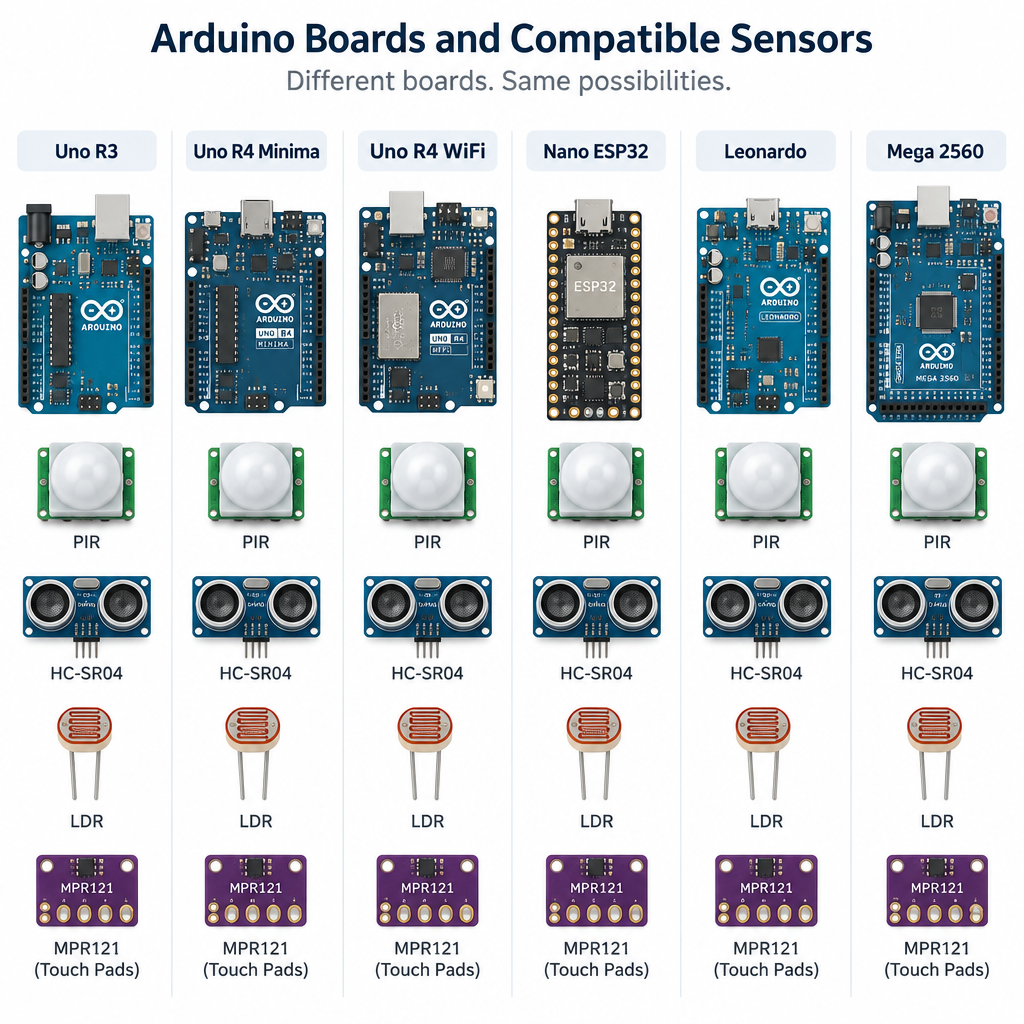
Interactive art is mostly the same handful of inputs wearing different costumes. Knowing their real ranges saves you from designing a room-scale piece around a sensor that only sees 30 cm.
| Sensor | What it detects | Practical range | Interface | Good for |
|---|---|---|---|---|
| HC-SR04 ultrasonic | Distance | About 2 cm to 400 cm | Two digital pins | Presence and approach |
| HC-SR501 PIR | Body heat movement | Roughly 3 m to 7 m, adjustable | One digital pin | Wake a piece when someone enters |
| VL53L0X time-of-flight | Distance by laser | Up to about 2 m | I2C | Precise, narrow-beam proximity |
| LDR (photoresistor) | Light level | Ambient to direct light | One analog pin | Shadow play, light instruments |
| MPR121 | Capacitive touch | 12 electrodes | I2C | Touch-sensitive paint, foil, fruit, plants |
| MPU-6050 | Tilt, acceleration, rotation | 3-axis accel plus 3-axis gyro | I2C | Wearables, objects that react to handling |
| Piezo disc | Knock and vibration | Contact only | One analog pin | Percussive surfaces, floor triggers |
Explore Arduino project categories
The 15 projects below are grouped by what the audience experiences. Each one names the core parts and the single concept you will learn from building it, so you can grow a small idea into a project at the scale you need.
Light
1. Breathing LED strip that reacts to presence. A WS2812B strip pulses slowly at rest and speeds up or warms in colour when a PIR sensor fires. This is the classic first installation because it teaches you addressable LEDs, external power and state changes in one build.
2. Shadow-reactive light wall. An array of LDRs mounted behind a translucent panel reads where a visitor’s shadow falls, and LEDs behind each sensor invert that pattern. You learn analog smoothing, since raw LDR values flicker with mains lighting.
3. Proximity light corridor. Several HC-SR04 sensors along a walkway each control a segment of LEDs, so light follows the visitor. The challenge is crosstalk: ultrasonic sensors fired at the same moment hear each other, so you trigger them in sequence.
4. Generative clock. A DS3231 real-time clock module drives an LED ring that shows time as colour fields instead of numbers. The DS3231 keeps accurate time with a coin cell, so the piece survives power cuts without drifting.
Here is a FastLED pattern for the breathing strip. setMaxPowerInVoltsAndMilliamps caps brightness so the strip never pulls more than your supply can deliver.
#include <FastLED.h>

#define DATA_PIN 6
#define NUM_LEDS 60
#define PIR_PIN 2

CRGB leds[NUM_LEDS];

void setup() {
  pinMode(PIR_PIN, INPUT);
  FastLED.addLeds<WS2812B, DATA_PIN, GRB>(leds, NUM_LEDS);
  // Never draw more than 2 A at 5 V, whatever the pattern asks for
  FastLED.setMaxPowerInVoltsAndMilliamps(5, 2000);
}

void loop() {
  bool someoneHere = digitalRead(PIR_PIN) == HIGH;
  // Slow breath at rest, faster and warmer when someone is present
  uint8_t bpm = someoneHere ? 30 : 8;
  uint8_t hue = someoneHere ? 20 : 160;
  uint8_t level = beatsin8(bpm, 20, 255);
  fill_solid(leds, NUM_LEDS, CHSV(hue, 200, level));
  FastLED.show();
}
Motion and kinetic sculpture
5. Servo mirror grid. Dozens of small servos tilt tiles in response to a camera or sensor. Daniel Rozin’s Wooden Mirror (1999) predates Arduino entirely, but it is the reference everyone cites for this idea. A PCA9685 board gives you 16 channels of 12-bit PWM over I2C, and you can chain several to drive a large grid from one Uno.
6. Slow kinetic drawing machine. Two 28BYJ-48 stepper motors with ULN2003 drivers pull a pen across paper on strings, a polargraph-style drawing robot. You learn stepper control and coordinate maths, and the output is a physical print you can sell.
7. Wind or breath sculpture. A small fan or air pump, switched by a MOSFET, moves fabric or paper when a microphone module or pressure sensor detects breath. This is where you learn that motors need their own supply and a flyback diode.
8. Tilting object. An MPU-6050 inside a handheld object reports orientation, and the Arduino moves a servo-driven counterpart elsewhere in the room. Two objects mirroring each other is a simple, surprisingly emotional piece.
Heads up
Servos and motors can pull more current than a USB port provides. Power them from a separate 5V supply and connect its ground to the Arduino ground, or the board will brown out and reset.
Sound
9. Touch-paint instrument. Conductive paint electrodes wired to an MPR121 trigger samples from a DFPlayer Mini, a small MP3 module that reads from a microSD card. Visitors play the wall by touching painted shapes.
10. Light theremin. Two LDRs replace antennas, one for pitch and one for volume, and the Arduino drives a piezo or small amplifier with tone(). It is an optical cousin of the theremin musical instrument, and it teaches mapping sensor ranges to musically useful values.
11. Knock sequencer. Piezo discs under wooden panels detect knocks and record their timing into a looping rhythm played back through solenoids striking objects. Debouncing and threshold tuning are the lessons here.
Screens, data and projection
12. Physical controller for a p5.js sketch. The Arduino reads sensors and prints values over serial, and a browser sketch reads them through the Web Serial API in Chrome or Edge. This is the bridge if you already know p5.js, since all the visuals stay in code you are comfortable with.
13. Live data display. A Nano ESP32 fetches environmental data or your own sensor readings and shows them on an OLED, an e-paper panel or an LED matrix. Smart monitoring dashboards are the hobbyist version; the art version turns air quality or river levels into colour.
14. Projection trigger box. A Leonardo or Micro acts as a USB keyboard, sending a keypress to projection mapping software or TouchDesigner when a sensor fires. Because the computer sees an ordinary keyboard, you avoid writing any serial code on the receiving side.
Wearables and networked pieces
15. Networked twin objects. Two Nano ESP32 or Uno R4 WiFi boards in different cities exchange touch events, so pressing one lamp lights the other. You learn wireless messaging and the reality of venue Wi-Fi, which is often locked behind captive portals.
A first build: distance to serial
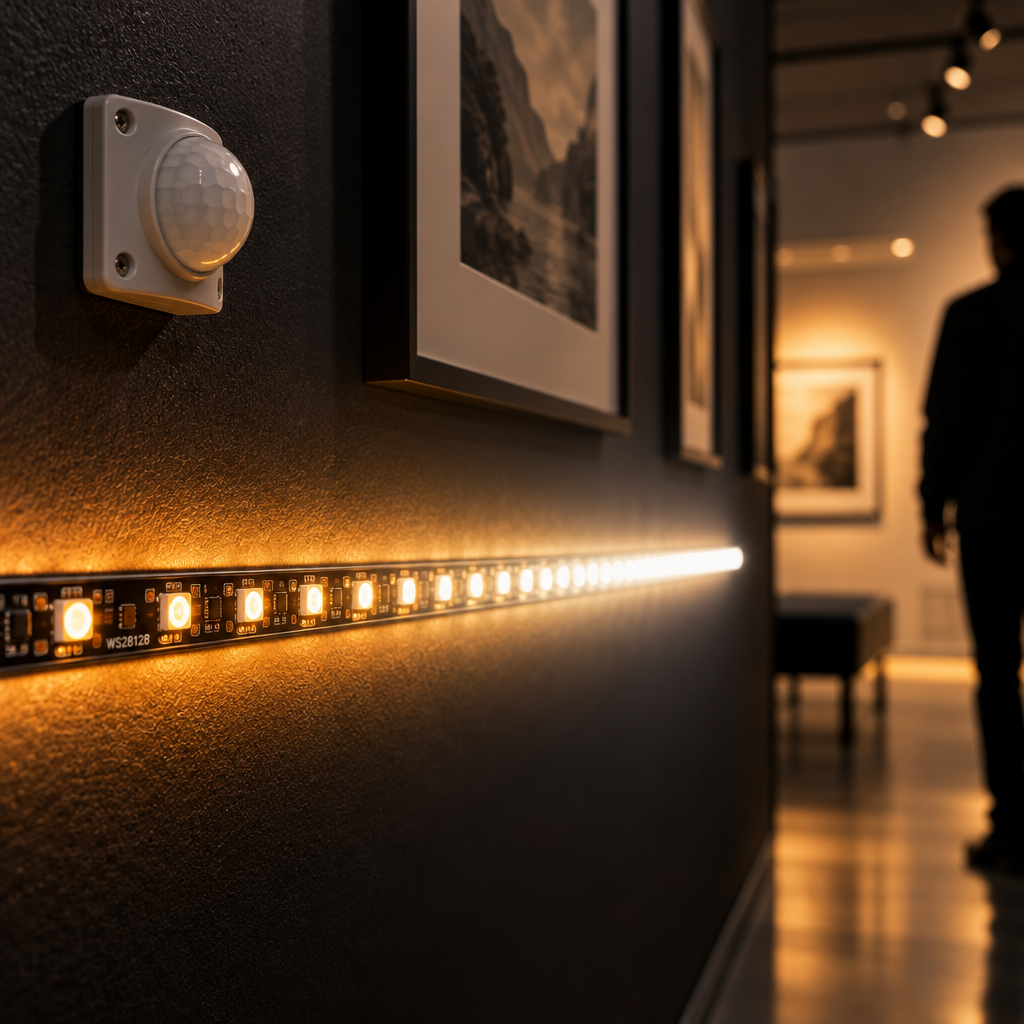
Most of the projects above start with a sensor printing numbers you can inspect. This sketch reads an HC-SR04 and sends centimetres over serial, which you can watch in the IDE’s Serial Plotter or feed into p5.js.
const int trigPin = 9;
const int echoPin = 10;

void setup() {
  Serial.begin(9600);
  pinMode(trigPin, OUTPUT);
  pinMode(echoPin, INPUT);
}

void loop() {
  // Send a 10 microsecond pulse to start a measurement
  digitalWrite(trigPin, LOW);
  delayMicroseconds(2);
  digitalWrite(trigPin, HIGH);
  delayMicroseconds(10);
  digitalWrite(trigPin, LOW);

  // Time the echo, giving up after 30 ms if nothing returns
  long duration = pulseIn(echoPin, HIGH, 30000);

  // Sound travels about 0.0343 cm per microsecond, there and back
  float cm = duration * 0.0343 / 2.0;
  Serial.println(cm);
  delay(50);
}
Quick steps: get a sensor reading into your art software
- Wire VCC to 5V, GND to GND, Trig to pin 9, Echo to pin 10.
- Upload the sketch from Arduino IDE 2.
- Open the Serial Plotter at 9600 baud and wave your hand.
- Close the plotter so another program can claim the port.
- Read the port from p5.js, Processing or TouchDesigner.
Powering LEDs without melting anything
Power is where DIY Arduino installations most often fail. A WS2812B pixel can draw up to roughly 60 mA at full white, so long strips need serious supplies and power injection along their length.
| Strip size (WS2812B, 5V) | Worst-case current at full white | Sensible supply | Notes |
|---|---|---|---|
| 30 LEDs | About 1.8 A | 5V 3A | Fine from one end |
| 60 LEDs (1 m at 60/m) | About 3.6 A | 5V 5A | Cap brightness in code |
| 150 LEDs (5 m at 30/m) | About 9 A | 5V 10A | Inject power at both ends |
| 300 LEDs (5 m at 60/m) | About 18 A | 5V 20A or split supplies | Inject every metre or so |
In practice you rarely run full white, and capping brightness at 50 percent roughly halves these figures. Size the supply for the cap you set in code, then add headroom. A 300 to 500 ohm resistor on the data line and a large capacitor (around 1000 µF) across the strip’s power input protect the first pixel from spikes.
Grow ideas into projects that survive a show
A piece that works on your desk faces a different test in a gallery: eight hours a day, unattended, for weeks. These habits separate a demo from an installation.
- Plan for resets. Enable the hardware watchdog so a frozen board restarts itself. On AVR boards,
wdt_enable(WDTO_8S)fromavr/wdt.hresets the board if your loop stops callingwdt_reset()for eight seconds. - Boot straight into the piece. No button presses, no laptop logins. A technician should be able to switch the mains on and walk away.
- Smooth every analog reading. A running average or exponential filter stops LEDs flickering when fluorescent lights hum at mains frequency.
- Use screw terminals or soldered protoboard. Breadboard jumpers work loose from vibration and foot traffic within days.
- Avoid long sensor cables on I2C. I2C was designed for short distances on a circuit board. Beyond about a metre, use a differential extender or move the microcontroller closer to the sensor.
- Label everything and leave a printed wiring diagram inside the plinth for whoever maintains it after you leave.
You can test logic before buying parts in Wokwi, a free browser-based Arduino simulator that supports Uno, Nano, ESP32 and common components like NeoPixels and servos.
Tools that pair well with Arduino
Arduino handles the physical side. For visuals and sound, artists usually connect it to one of these.
- p5.js (free): reads serial in the browser through Web Serial; ideal for screen-based or projected visuals.
- Processing (free): its Serial library has been the standard Arduino partner since the platform began.
- TouchDesigner (free non-commercial licence; paid licences for commercial work): the Serial DAT reads Arduino data straight into a node network for large-scale video and projection.
- Firmata: upload StandardFirmata to the board and control its pins from a host program without writing Arduino code.
- Arduino Cloud: dashboards and remote control for networked boards, with a free tier.
FAQ
What projects can be made with Arduino?
Almost anything that reads a sensor and controls an output: interactive LED walls, kinetic sculptures, touch-sensitive instruments, drawing robots, data displays, wearables, home automation, game controllers and environmental monitoring stations. For artists, the strongest projects pair one clear sensor with one expressive output, such as distance controlling light.
Did NASA use Arduino?
Not for mission-critical spacecraft hardware, which relies on radiation-tolerant, flight-qualified electronics. Arduino-compatible boards have reached orbit on small educational satellites, though. ArduSat, funded on Kickstarter in 2012, was a CubeSat built around Arduino-compatible processors and deployed from the International Space Station. NASA education programmes also use Arduino in student projects.
Does Arduino use C or C++?
C++. An Arduino sketch is C++ code with the Arduino core library added, which provides functions like digitalWrite(), analogRead() and millis(). The IDE adds function prototypes and a main() for you, then compiles with GCC for the board’s processor. Plain C also compiles, because most C is valid C++.
Can ChatGPT make Arduino code?
Yes, ChatGPT and similar tools can draft working sketches quickly, especially for common parts like the HC-SR04 or WS2812B. Check the output carefully: they invent library functions, mix up pin numbers between boards and ignore power requirements. Treat generated code as a first draft, read every line, and test on hardware before installing it.
Try it live
This sketch stands in for a proximity light installation before you wire anything. Move your mouse up and down to play a visitor approaching a distance sensor; leave it alone and Perlin noise fakes someone drifting nearby. The filtering is the same exponential smoothing you would run on the Arduino, and the perlin noise tutorial on this site explains the noise function in depth.
// Stand-in for an Arduino distance sensor driving an LED grid.
// Move the mouse up and down to "walk" toward the sensor.
// When the mouse is idle, Perlin noise fakes a visitor drifting nearby.

let smoothed = 200;    // filtered distance in cm, like on the Arduino
let lastMouseMove = -5000; // time of the last mouse movement
let t = 0;             // time offset for the noise

function setup() {
  createCanvas(800, 500);
  colorMode(HSB, 360, 100, 100, 100);
  noStroke();
}

function mouseMoved() {
  lastMouseMove = millis();
}

function draw() {
  background(230, 40, 8);
  t += 0.008;

  // Choose a raw reading: the mouse if it moved recently, noise otherwise
  let raw;
  if (millis() - lastMouseMove < 2000) {
    raw = map(mouseY, 0, height, 20, 400);
  } else {
    raw = map(noise(t), 0, 1, 20, 400);
  }
  raw = constrain(raw, 20, 400);

  // Add jitter, because real ultrasonic sensors are noisy
  raw += random(-4, 4);

  // Exponential smoothing: move a little toward each new reading
  smoothed = lerp(smoothed, raw, 0.08);

  // Closeness runs from 0 (far away) to 1 (right at the sensor)
  let closeness = constrain(map(smoothed, 400, 20, 0, 1), 0, 1);
  let hue = lerp(200, 330, closeness);

  // Draw a 16 by 10 grid of glowing "LEDs"
  let cols = 16;
  let rows = 10;
  let gridH = height - 80;
  let colGap = width / cols;
  let rowGap = gridH / rows;

  for (let i = 0; i < cols; i++) {
    for (let j = 0; j < rows; j++) {
      let x = colGap * (i + 0.5);
      let y = rowGap * (j + 0.5);
      let d = dist(x, y, width / 2, gridH / 2);

      // A ripple travels outward, faster as the visitor gets closer
      let speed = 0.02 + closeness * 0.15;
      let wave = sin(d * 0.03 - frameCount * speed);
      let b = map(wave, -1, 1, 10, 100) * (0.25 + closeness * 0.75);

      // Soft halo first, then a bright core
      fill(hue, 70, b, 25);
      circle(x, y, colGap * 0.9);
      fill(hue, 40, b, 100);
      circle(x, y, colGap * 0.35);
    }
  }

  // Meter showing the filtered distance
  fill(0, 0, 15);
  rect(40, height - 50, width - 80, 16, 8);
  fill(hue, 70, 90);
  rect(40, height - 50, (width - 80) * closeness, 16, 8);

  fill(0, 0, 90);
  textSize(14);
  textAlign(LEFT, BOTTOM);
  text('Simulated distance: ' + nf(smoothed, 1, 0) + ' cm', 40, height - 58);
}
Once the behaviour feels right, swap the mouse and noise lines for real serial values from the HC-SR04 sketch above, and the same visuals will respond to bodies in a room.