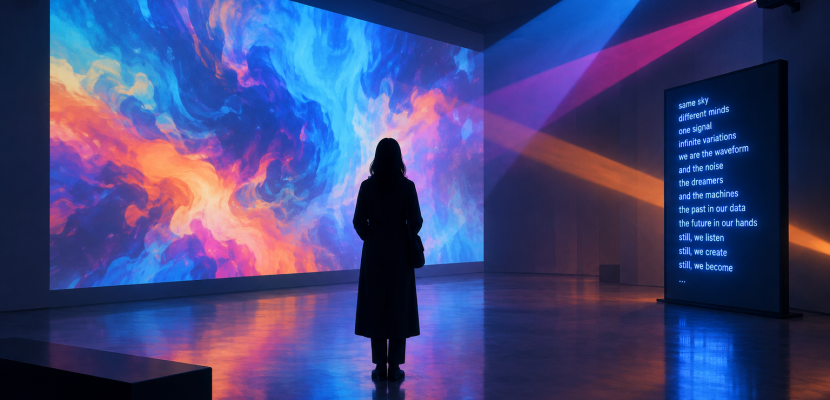
A multimedia artwork combines two or more distinct media, such as moving images, sound, text, light, performance or code, so that you experience them together as one piece. What makes it multimedia is the interplay: the sound changes how you read the image, the space changes how you hear the sound, and often your own body becomes part of the work. Below you’ll find a clear definition, how each element does its job, and ten well-documented examples you can study.
What counts as a multimedia artwork
A painting that mixes oil, sand and newspaper is still something you take in as one image on a wall. A multimedia piece asks more of you. It usually unfolds in time, uses at least two sensory channels, and is built so that removing one element would break the work.
Three traits show up again and again:
- More than one sense is involved. You watch and listen, or you watch and move.
- Time is part of the material. The piece has a duration, a loop, or a state that changes.
- The elements depend on each other. Video without its soundtrack, or a sensor without the lights it controls, stops being the same artwork.
The term grew popular in the 1960s around Fluxus, happenings and early video art. Today it covers everything from gallery installations to browser sketches you can run on a phone.
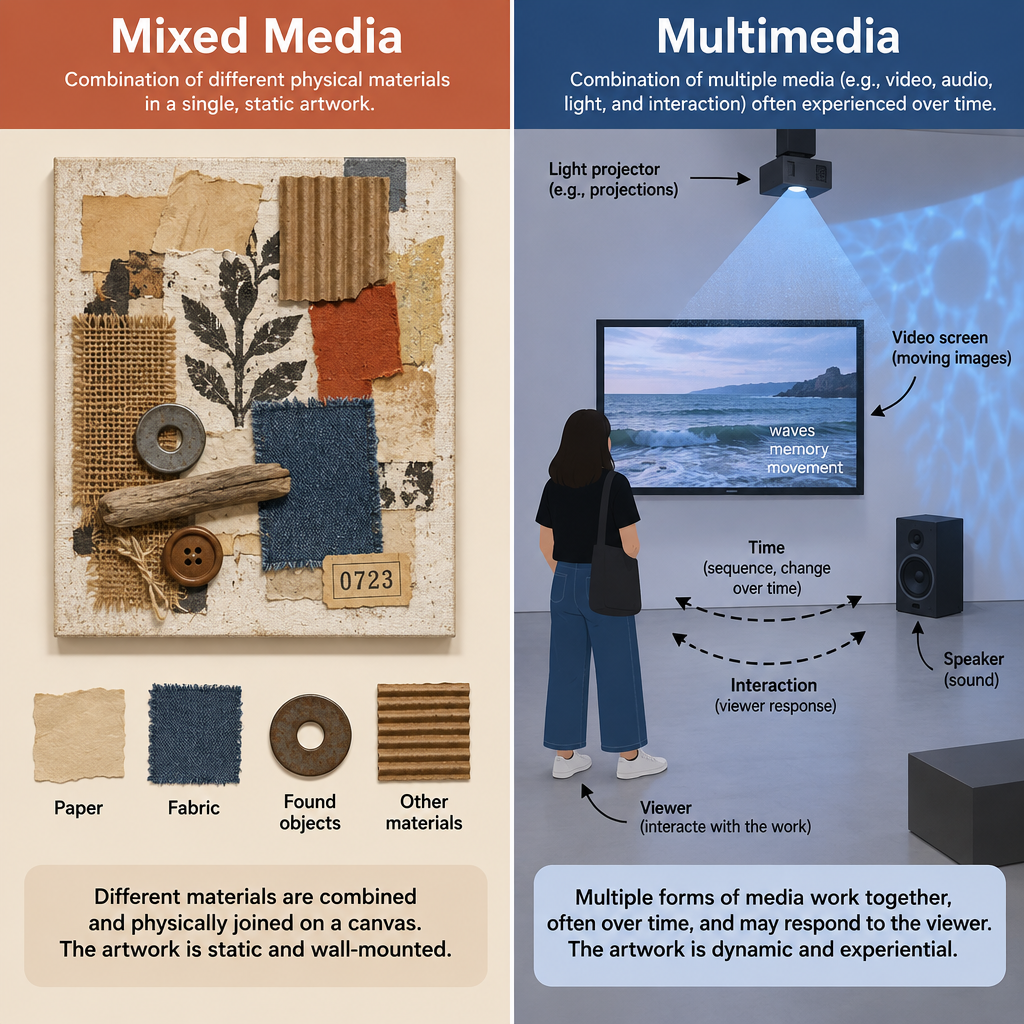
Multimedia art vs mixed media
The two terms get swapped constantly, and the pages that rank for this topic mostly explain mixed media. The difference is worth getting straight, because it changes how you look at a piece.
| Mixed media | Multimedia | |
|---|---|---|
| What’s combined | Physical materials | Different media or senses |
| Typical form | Collage, assemblage, sculpture | Video, sound, installation, interactive work |
| Time | Usually static | Usually time-based |
| Classic example | Picasso, Still Life with Chair Caning (1912) | Nam June Paik, TV Buddha (1974) |
Mixed media has deep roots. Georges Braque and Pablo Picasso glued paper, printed oilcloth and rope into their Cubist pictures in 1912, which gave us modern collage. Kurt Schwitters built his Merz pictures from tickets, wood and scraps from about 1919, then around 1923 grew that process into the Merzbau, a room-sized construction in his Hannover home that was destroyed in a 1943 bombing raid. Eileen Agar’s Angel of Anarchy (1936-40) wraps a plaster head in fabric, feathers and beads. Chris Ofili’s The Holy Virgin Mary (1996) combines paint, collage, glitter and elephant dung.
All of these are layered, personal and full of found objects. None of them need a speaker, a screen or a running clock. That’s the line. A multimedia piece can include mixed-media objects, but it adds media that you experience over time.
The elements of a multimedia piece and how each is used
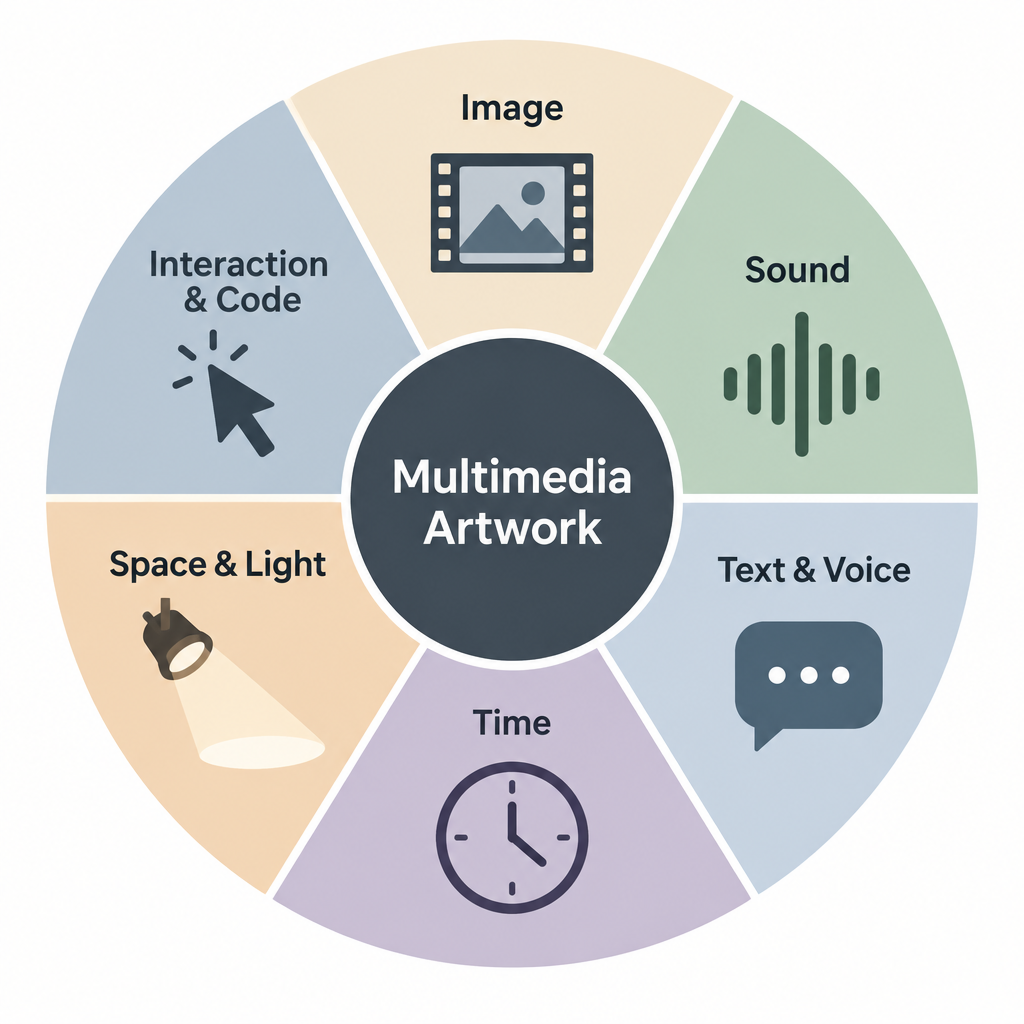
Most multimedia works draw from the same toolkit. The craft lies in deciding what each element is responsible for.
Image: still and moving
Photographs, video and generated graphics carry most of the narrative weight in many pieces. Artists use moving images for duration and change, and still images for anchoring. In video installations, the size of the projection matters as much as the content. A face projected four metres tall reads as an event rather than a portrait.
Sound
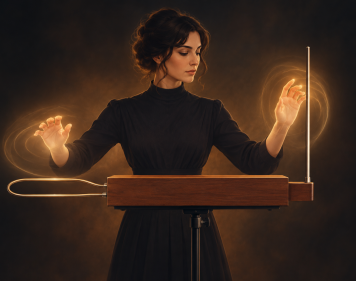
Sound sets the emotional temperature and tells you where to look. It also defines space: a voice coming from behind you turns a gallery into a place you’re inside. Body-controlled sound has a long history, from the theremin musical instrument of the 1920s to motion sensors that trigger audio today.
Text and voice
Words give a piece its frame. Laurie Anderson’s performances lean on spoken text, and many contemporary works scroll data or fragments of language across a screen. Text is the fastest way to tell viewers what they’re seeing, so artists often hold it back on purpose.
Time
Every time-based work has a structure: a fixed length, a loop, or a system that never repeats. A loop lets visitors walk in at any point. A fixed duration asks them to sit and commit. Generative pieces run on rules and produce endless variation.
Space and light
Installation art treats the room as a medium. Projection mapping, speaker placement, darkness and reflective surfaces all shape what you notice. The same video plays differently on a monitor than across three walls.
Interaction
Sensors, cameras, touch surfaces and simple mouse input let the audience change the work. Interaction makes visitors co-authors, but it has to be readable within seconds or people walk away.
Code and data
Software often sits underneath everything, syncing video to sound or turning data into images. If you’ve followed a Perlin noise tutorial, you’ve already used one of the most common tricks: smooth randomness that makes generated motion look organic.
10 examples of multimedia art worth studying
Each multimedia art example below is a documented work with a known artist and date. Use them as a reference set for how the elements combine.
1. Nam June Paik, TV Buddha (1974)
A Buddha statue sits facing a television that shows its own live image, filmed by a closed-circuit camera. Sculpture, live video and the loop of self-observation make one closed system. Paik is widely called the father of video art, and this is his most quoted piece.
2. Laurie Anderson, United States I-IV (1983)
Staged at the Brooklyn Academy of Music, this performance ran for roughly eight hours and combined songs, spoken stories, projected images, film and electronically altered voice. Anderson’s customised instruments, including violins modified to play tape, became part of the language of the piece.
3. Bill Viola, The Crossing (1996)
Two large projections play on either side of a single screen. On one, a man is slowly consumed by fire. On the other, he disappears under a torrent of water. The roaring soundtrack fills the room, and slow motion stretches each image so time itself becomes the subject.
4. Pipilotti Rist, Ever Is Over All (1997)
Two overlapping video projections show a woman cheerfully smashing car windows with a long-stemmed flower, next to dreamy footage of a field of the same plants. A light, hummed soundtrack keeps the mood playful. It’s a strong multimedia example of how sound can flip the meaning of an image.
5. Janet Cardiff, The Forty Part Motet (2001)
Forty speakers on stands form an oval, each playing one recorded voice from Thomas Tallis’s Spem in alium, sung by the Salisbury Cathedral Choir. You can stand in the middle and hear the whole choir, or walk up to a single speaker and hear one singer breathe. No images at all, yet the room becomes the artwork.
6. Rafael Lozano-Hemmer, Pulse Room (2006)
Hundreds of incandescent light bulbs hang from the ceiling. When you hold a sensor, your heartbeat is recorded and sent to a bulb, which flashes in rhythm. Each new participant pushes earlier recordings down the line. Biometric data, light and space combine into a collective portrait.
7. Ryoji Ikeda, test pattern (2008 onward)
Ikeda converts data such as text, sound and images into stark black-and-white barcode patterns, projected at large scale and synchronised precisely with pulses of sound. The series shows how code and data can be the core medium rather than background machinery.
8. Random International, Rain Room (2012)
First shown at the Barbican in London, Rain Room lets you walk through falling water without getting wet. Tracking cameras detect visitors and switch off the water directly above them. Sound, water, light and your own movement make the piece. Without people, it’s just rain.
9. teamLab, Borderless (2018 onward)
The Tokyo museum, which opened in Odaiba in 2018 and reopened at Azabudai Hills in 2024, fills dark rooms with projected artworks that move between spaces and respond to visitors. It’s the clearest mass-audience multimedia piece of the last decade, mixing projection mapping, sound and interaction at architectural scale.
10. Refik Anadol, Unsupervised (2022-23)
Shown in the lobby of MoMA in New York, this work used a machine-learning model trained on data from the museum’s collection to generate constantly shifting imagery on a large screen. It shows how data and software can produce images that never repeat.
Studio tip
When you study any of these works, pick one element and imagine it removed. Whatever collapses tells you which media are carrying the piece.
How to read a multimedia piece in a gallery
You don’t need theory to get more from these works. Run through four questions:
- Which senses is it using, and which one leads? Usually one element drives and the rest support.
- How does it treat time? A loop, a fixed length, or live generation.
- Where are you meant to stand? The artist placed speakers and screens deliberately.
- What changes because you’re there? If nothing does, the work is about watching. If something does, it’s about participation.
Give a looped video at least one full cycle. Many visitors leave after thirty seconds and miss the turn the artist built in.
The problem nobody mentions: multimedia art ages
Paintings fade slowly. Multimedia pieces can stop working entirely. Paik’s later installations, such as Electronic Superhighway (1995) with its wall of more than 300 televisions, depend on cathode-ray tube sets that are no longer made. Conservators now stockpile parts, migrate video to new formats and write detailed instructions for how a work should look and sound.
This matters if you make work too. Document your piece with video, write down hardware specs and keep your source code. Software-based art is easier to preserve than custom electronics, because a browser sketch can often outlive the computer it was made on.
Heads up
Projectors, sensors and speakers fail in long exhibitions. Budget for spares, and test the full piece for the whole opening hours at least once before the show.
Making your own first multimedia piece
You can start with free tools and a laptop. p5.js runs in the browser and handles images, text, interaction and, with plain Web Audio, sound. Processing is the desktop sibling and also free. Pure Data is free and strong for sound. TouchDesigner has a free non-commercial licence capped at 1280 by 1280 resolution, which is plenty for learning.
Quick steps: build a two-element piece
- Choose one image source and one sound source.
- Decide which element leads.
- Link them with one rule, such as mouse height sets pitch.
- Add time: a loop or slow change.
- Watch a friend try it without explaining.
Keep it small. Two elements that truly depend on each other beat six that just sit side by side.
Try it live
This sketch combines four elements from the article: a moving image built on a noise field, text that cycles over time, interaction from your mouse, and sound when you click. Move across the canvas to disturb the flow, then click to sound a tone whose pitch follows your height on the screen.
// A tiny multimedia piece: moving image, text, time, interaction and sound
let words = ["signal", "memory", "noise", "light", "voice", "echo"];
let particles = [];
let ripples = [];
let audioCtx = null;

function setup() {
  createCanvas(800, 500);
  textFont("monospace");
  // Scatter particles across the canvas
  for (let i = 0; i < 400; i++) {
    particles.push({ x: random(width), y: random(height) });
  }
  background(10, 10, 20);
}

function draw() {
  // Paint a see-through layer so motion leaves fading trails
  noStroke();
  fill(10, 10, 20, 25);
  rect(0, 0, width, height);

  // Moving image: particles drift along a slowly changing noise field
  let t = frameCount * 0.003;
  stroke(120, 200, 255, 90);
  strokeWeight(1.5);
  for (let p of particles) {
    let angle = noise(p.x * 0.004, p.y * 0.004, t) * TWO_PI * 2;
    let oldX = p.x;
    let oldY = p.y;
    p.x += cos(angle) * 1.5;
    p.y += sin(angle) * 1.5;

    // Interaction: the mouse pushes nearby particles away
    let d = dist(p.x, p.y, mouseX, mouseY);
    if (d > 0 && d < 120) {
      p.x += ((p.x - mouseX) / d) * 2;
      p.y += ((p.y - mouseY) / d) * 2;
    }

    line(oldX, oldY, p.x, p.y);

    // Send particles that leave the canvas back to a random spot
    if (p.x < 0 || p.x > width || p.y < 0 || p.y > height) {
      p.x = random(width);
      p.y = random(height);
    }
  }

  // Sound made visible: rings spread out from each click
  noFill();
  for (let i = ripples.length - 1; i >= 0; i--) {
    let r = ripples[i];
    stroke(255, 180, 120, 255 - r.size);
    strokeWeight(2);
    circle(r.x, r.y, r.size);
    r.size += 4;
    if (r.size > 255) {
      ripples.splice(i, 1);
    }
  }

  // Text and time: a new word fades in and out every three seconds
  let index = floor(frameCount / 180) % words.length;
  let phase = (frameCount % 180) / 180;
  noStroke();
  fill(255, sin(phase * PI) * 60);
  textSize(56);
  textAlign(CENTER, CENTER);
  text(words[index], width / 2, height / 2);

  // A small caption telling the viewer what they can do
  fill(10, 10, 20);
  rect(0, height - 28, width, 28);
  fill(200);
  textSize(12);
  textAlign(LEFT, CENTER);
  text("move to disturb the field, click to sound a tone", 12, height - 14);
}

function mousePressed() {
  // Start the browser's audio engine on the first click
  if (!audioCtx) {
    audioCtx = new (window.AudioContext || window.webkitAudioContext)();
  }

  // Sound: a short sine tone, higher near the top of the canvas
  let osc = audioCtx.createOscillator();
  let gain = audioCtx.createGain();
  osc.type = "sine";
  osc.frequency.value = map(constrain(mouseY, 0, height), 0, height, 880, 110);

  // A soft attack and a gentle fade so the tone doesn't click
  let now = audioCtx.currentTime;
  gain.gain.setValueAtTime(0.0001, now);
  gain.gain.exponentialRampToValueAtTime(0.2, now + 0.02);
  gain.gain.exponentialRampToValueAtTime(0.0001, now + 1.2);

  osc.connect(gain);
  gain.connect(audioCtx.destination);
  osc.start(now);
  osc.stop(now + 1.3);

  // Add a visual ring where the click happened
  ripples.push({ x: mouseX, y: mouseY, size: 0 });
}
FAQ
What is a simple example of multimedia art?
Nam June Paik’s TV Buddha (1974) is one of the simplest. It uses a statue, a live camera and a television, and the meaning comes from how those three interact. A music video projected in a room with surround sound would also qualify.
Is a collage a multimedia artwork?
Usually not. A collage combining paper, photographs and paint is mixed media, because all the materials are physical and you take them in as one still image. It becomes multimedia when you add something like sound, video or a time-based element.
Do multimedia artworks have to be digital?
No. Performance art with live music, slides and spoken word was multimedia long before laptops. Digital tools simply made it cheaper and easier to sync different media.
What software do multimedia artists use?
Common choices include p5.js, Processing, TouchDesigner, openFrameworks, Max, Pure Data and Ableton Live, plus video editors and projection mapping software. p5.js, Processing, openFrameworks and Pure Data are free.
What makes a multimedia piece successful?
Every element has a job, and the piece loses something real if you take one away. Strong works also make it obvious within a few seconds how you’re meant to watch, listen or take part.