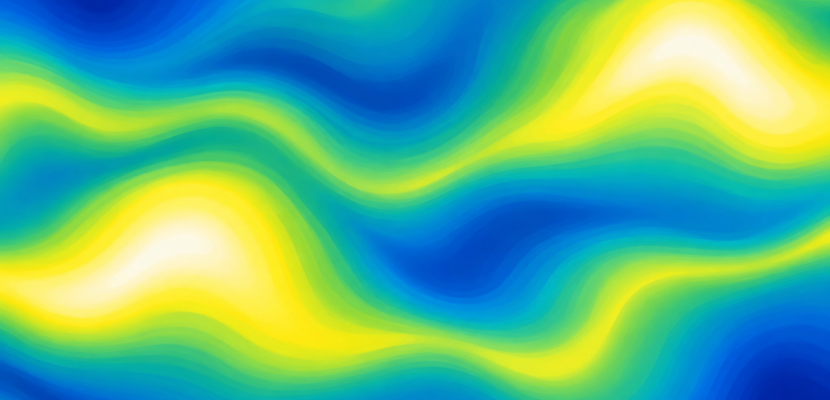
Perlin noise is a way to make randomness that changes smoothly. Nearby inputs give nearby outputs, so you get rolling hills, drifting smoke and wandering lines instead of TV static. Ken Perlin invented it in the early 1980s. Today every major creative coding tool ships a version of it.
What Perlin noise is, and where it came from
Ken Perlin built the algorithm after working on the film Tron (1982) at MAGI. He was frustrated by how machine-like computer graphics looked. He presented the technique at SIGGRAPH in 1985 in a paper called “An Image Synthesizer.” In 1997 he received an Academy Award for Technical Achievement for it.
He then refined the idea twice:
| Version | Year | What changed | Corners checked per sample |
|---|---|---|---|
| Classic Perlin noise | 1985 | Gradient noise on a grid, cubic fade 3t² − 2t³ |
2ⁿ (4 in 2D, 8 in 3D) |
| Simplex noise | 2001 | Triangle/tetrahedron grid, fewer artefacts, scales better | n + 1 (3 in 2D, 4 in 3D) |
| Improved Perlin noise | 2002 | Quintic fade 6t⁵ − 15t⁴ + 10t³, better gradient set |
2ⁿ |
Simplex noise was patented, and that pushed many developers toward alternatives like OpenSimplex. The simplex patent (US6867776) expired on January 8, 2022. Classic Perlin noise was never separately patented and has been in the public domain since its 1985 publication.
How the algorithm works
random() gives you a fresh, unrelated number every time. Perlin noise is different. It gives you a landscape. You ask “what is the height at position x?” and the same x always returns the same answer.
Here is the method in plain words:
- Lay an invisible grid over space.
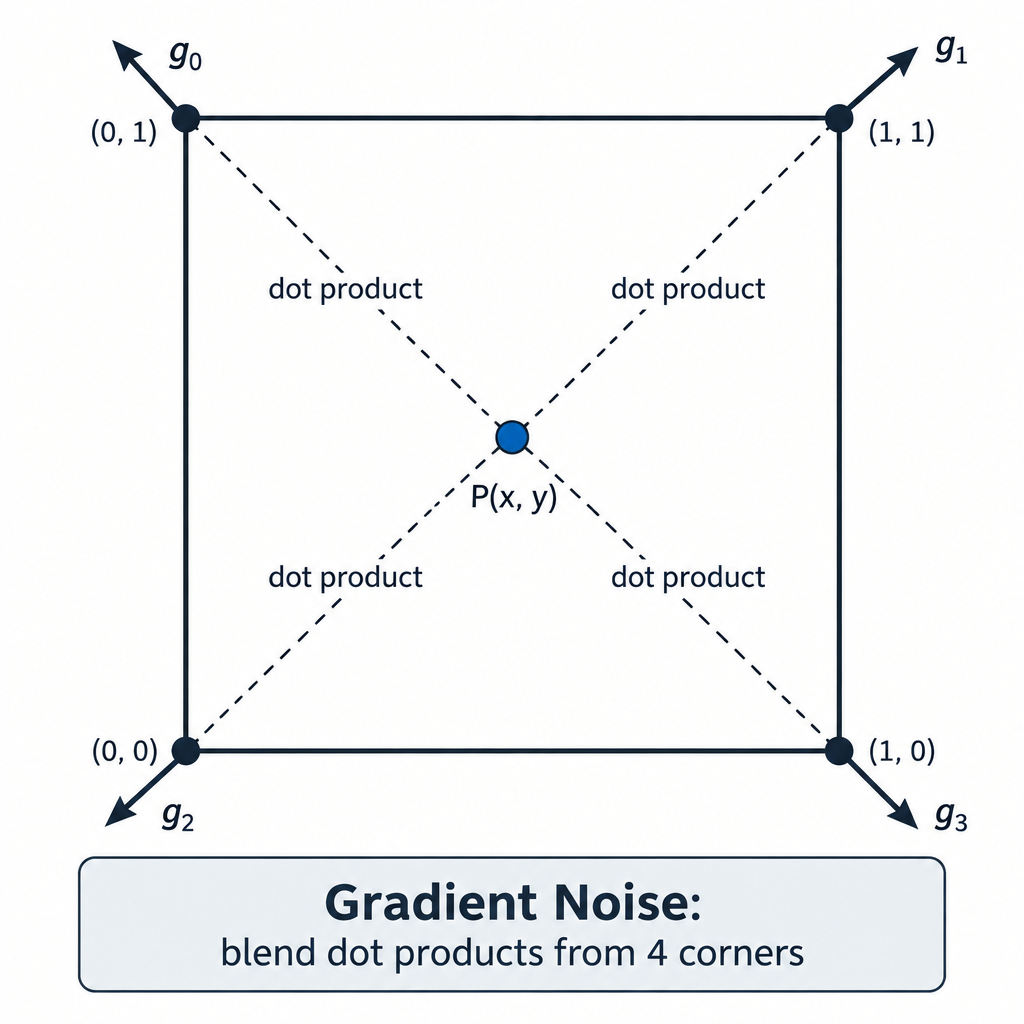
- At every grid point, store a random direction (a gradient).
- For your sample point, find the surrounding grid corners.
- For each corner, take the dot product of its gradient with the vector from that corner to your point.
- Blend those values with a smooth fade curve.
The fade curve does most of the work. It keeps the blend from snapping at grid lines. Perlin’s 2002 quintic curve fixed visible creases that the original cubic left behind.
This 1D version shows the core in a few lines of JavaScript:
// One random slope per grid point
let slopes = [];
for (let i = 0; i < 256; i++) slopes.push(random(-1, 1));

// Perlin's improved fade curve: 6t^5 - 15t^4 + 10t^3
function fade(t) {
  return t * t * t * (t * (t * 6 - 15) + 10);
}

function gradientNoise1D(x) {
  let i = floor(x);          // grid point to the left
  let f = x - i;             // how far we are between grid points (0 to 1)
  let g0 = slopes[i & 255];  // slope at left point
  let g1 = slopes[(i + 1) & 255];
  let d0 = g0 * f;           // contribution from the left
  let d1 = g1 * (f - 1);     // contribution from the right
  return lerp(d0, d1, fade(f));
}
Notice one thing. At whole numbers, f is 0, so the result is exactly 0. True gradient noise always passes through zero on the grid. That is why you should never sample it at integer steps.
Octaves: where the detail comes from
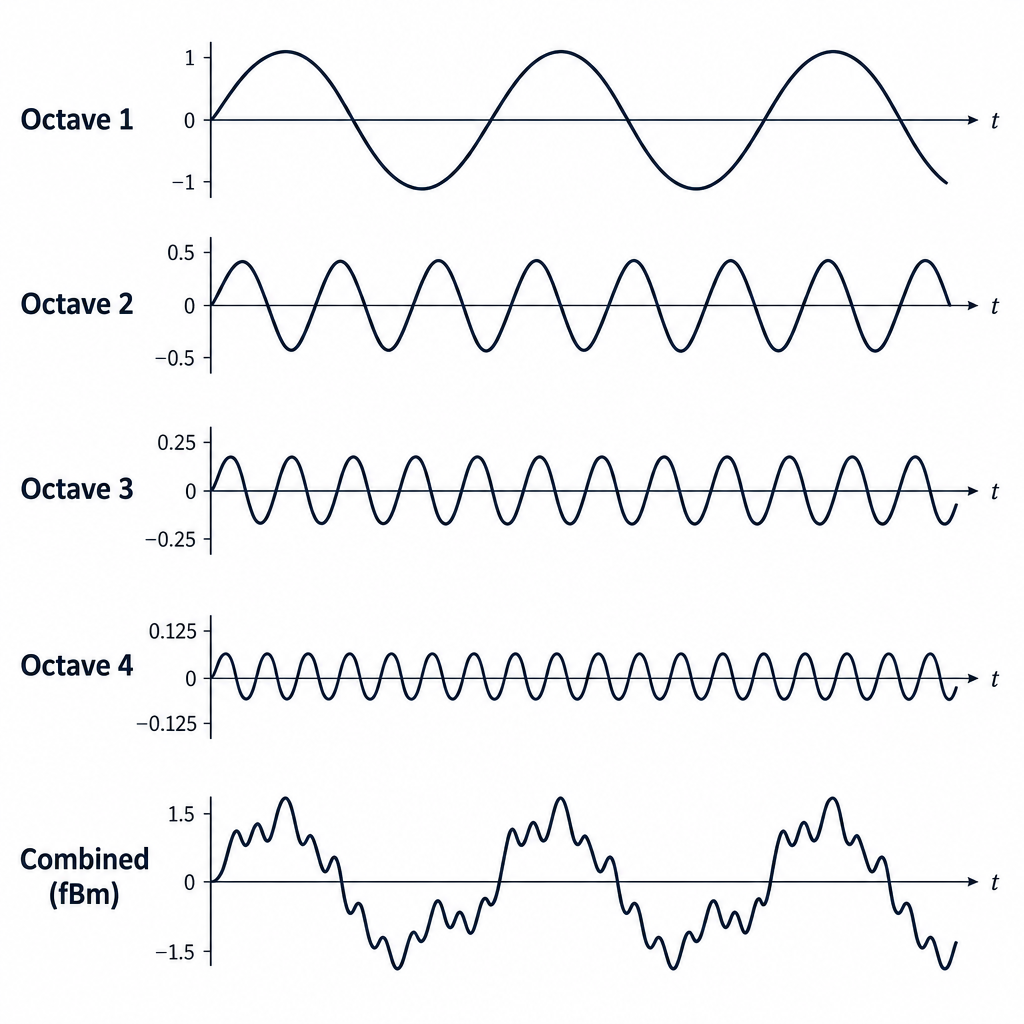
A single layer of noise looks soft and blobby. Real terrain has big hills and small bumps. You get that by stacking layers, called octaves. Each octave doubles the frequency and shrinks the strength. This stacking is often called fractal Brownian motion, or fBm.
In p5.js and Processing you control this with noiseDetail(lod, falloff). The defaults are 4 octaves and a falloff of 0.5. Here is what those defaults mean in numbers:
| Octave | Frequency | Weight (falloff 0.5) |
|---|---|---|
| 1 | 1× | 1 |
| 2 | 2× | 0.5 |
| 3 | 4× | 0.25 |
| 4 | 8× | 0.125 |
Raise the falloff toward 0.75 and the fine detail gets louder, giving you rough, rocky textures. Drop it toward 0.25 and things go smooth and cloudy.
Perlin noise in the tools you already use
Every tool names and scales its noise a little differently. Check the output range before you map it to anything.
| Tool | Function or operator | Dimensions | Output range | Cost |
|---|---|---|---|---|
| p5.js | noise(x, y, z) |
1 to 3 | 0 to 1 | Free, open source |
| Processing | noise(x, y, z) |
1 to 3 | 0 to 1 | Free, open source |
| openFrameworks | ofNoise() / ofSignedNoise() |
1 to 4 | 0 to 1 / −1 to 1 | Free, open source |
| three.js | ImprovedNoise (addon) |
3 | Roughly −1 to 1 | Free, open source |
| Unity | Mathf.PerlinNoise(x, y) |
2 | About 0 to 1, can slightly overshoot | Free Personal tier |
| TouchDesigner | Noise TOP, Noise CHOP, Noise SOP | Up to 4 | Set by Amplitude and Offset | Free Non-Commercial licence |
A few quirks are worth knowing:
- p5.js and Processing are not textbook gradient noise. Their source fills a table with random values and blends them with a cosine curve, which makes it closer to smoothed value noise. It still behaves the way you expect for art. If “p5 js” is new to you, start there anyway. It is the fastest way to see noise move.
- openFrameworks builds
ofNoise()on a simplex implementation, so it is quick even in 4D. - TouchDesigner lets you pick the Type parameter, including Perlin 2D, 3D and 4D and several Simplex modes, then shape it with Harmonics, Roughness and Exponent.
- GLSL has no noise function you can rely on. The built-in
noise1()family returns 0 on most drivers. Shader artists paste in a known implementation instead, most often Stefan Gustavson’s.
Studio tip
Animate noise by moving through an extra dimension. Use noise(x, y, t) and nudge t by about 0.005 each frame. The whole field drifts as one. Shifting x or y would only slide it sideways.
The step size rule
Most beginner noise sketches fail on one number: the step size. Noise changes over roughly one unit of input. Pixel coordinates run into the hundreds, so you must scale them down.
- Step of 1 or more: looks like plain random static.
- Step of about 0.01: gentle, readable waves. This is a good default.
- Step of 0.001: nearly flat, slow drift.
Multiply your coordinates by a scale like 0.005 before passing them in. Tune that one value before you touch anything else.
Heads up
Calling noise() per pixel on an 800 by 600 canvas means 480,000 calls a frame. That will crawl in p5.js. Sample a coarser grid, or move per-pixel noise into a shader.
Variations to try
- Flow fields. Turn each noise value into an angle and let particles follow it. Daniel Shiffman teaches this in The Nature of Code.
- Domain warping. Feed noise into the input of more noise:
noise(x + noise(x, y), y). You get marbled, liquid shapes. - Ridged noise. Use
1 - abs(n * 2 - 1)to fold the values into sharp ridges, like mountain crests. - Threshold contours. Draw only where noise crosses 0.5 to get topographic map lines.
FAQ
Is Perlin noise the same as random()?
No. random() returns unrelated values on every call. Perlin noise returns the same value for the same input, and nearby inputs give similar values.
Why does my noise look like static?
Your step size is too big. Multiply your coordinates by something between 0.005 and 0.02.
Why are my values stuck near 0.5?
That is normal. Most noise output clusters around the middle and rarely reaches 0 or 1. Use map() with a narrower input range, such as 0.3 to 0.7, to stretch it.
How do I get the same pattern every time?
In p5.js and Processing, call noiseSeed() with a fixed number in setup(). Change the number to get a new pattern.
Should I use Perlin or simplex noise?
For 2D sketches either works. In 3D and 4D, or in shaders, simplex is faster and shows fewer grid artefacts.
Try it live
Particles follow angles read from 3D noise. Click to reseed the field. Press the up and down arrow keys to change the noise scale.
// Perlin noise flow field
// Each particle reads noise at its position and turns that value into a direction.

let particles = [];
let noiseScale = 0.004; // smaller = wider, smoother swirls
let zOff = 0;           // third noise dimension, moves slowly so the field drifts

function setup() {
  createCanvas(800, 600);
  noiseDetail(4, 0.5); // p5.js defaults, written out so you can experiment
  background(12, 14, 20);
  for (let i = 0; i < 1200; i++) {
    particles.push(createVector(random(width), random(height)));
  }
}

function draw() {
  // A faint dark layer each frame leaves fading trails
  noStroke();
  fill(12, 14, 20, 12);
  rect(0, 0, width, height);

  strokeWeight(1.2);
  for (let p of particles) {
    // Sample noise at this particle's spot
    let n = noise(p.x * noiseScale, p.y * noiseScale, zOff);

    // Noise sits mostly around 0.5, so stretch it to a full range of angles
    let angle = map(n, 0.3, 0.7, 0, TWO_PI * 2);

    let prevX = p.x;
    let prevY = p.y;
    p.x += cos(angle) * 1.5;
    p.y += sin(angle) * 1.5;

    // Colour also comes from the noise value
    stroke(lerp(80, 255, n), lerp(140, 210, n), 255, 90);
    line(prevX, prevY, p.x, p.y);

    // Send particles that leave the canvas back to a random spot
    if (p.x < 0 || p.x > width || p.y < 0 || p.y > height) {
      p.x = random(width);
      p.y = random(height);
    }
  }

  // Move slowly through the third dimension
  zOff += 0.002;

  // Show the current scale
  noStroke();
  fill(12, 14, 20);
  rect(8, height - 28, 190, 22);
  fill(220);
  textSize(13);
  text('noiseScale: ' + noiseScale.toFixed(4), 14, height - 12);
}

function mousePressed() {
  // A new seed gives a completely new field
  noiseSeed(floor(random(100000)));
  background(12, 14, 20);
}

function keyPressed() {
  if (keyCode === UP_ARROW) {
    noiseScale *= 1.25;
  } else if (keyCode === DOWN_ARROW) {
    noiseScale /= 1.25;
  }
  noiseScale = constrain(noiseScale, 0.0005, 0.05);
  background(12, 14, 20);
}