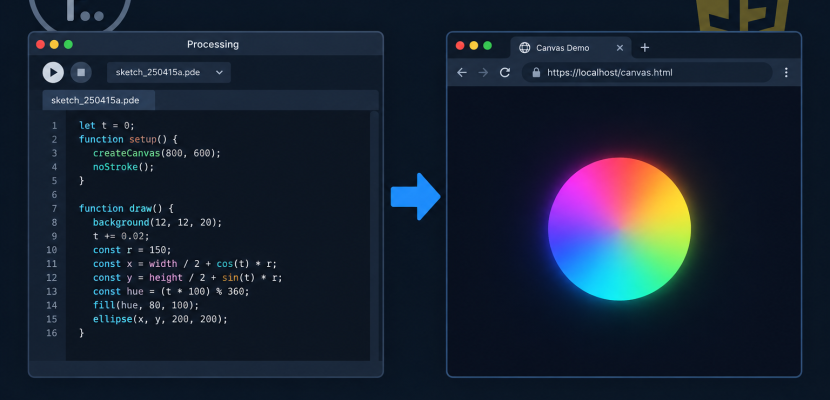
JavaScript Mode was an option in the Processing editor that ran your sketch in a web browser instead of the Java runtime. It worked by handing your .pde code to Processing.js, a library that translated Processing syntax into JavaScript and drew it on an HTML5 canvas. The mode is retired now, and its job has passed to p5.js and the p5.js Web Editor.
What JavaScript Mode actually was
Processing has always had “modes.” These are the dropdown in the top-right corner of the editor (the PDE) that decide what your code turns into when you press Run. Java mode is the default. Over the years there have been others too, including Android, Python and JavaScript.
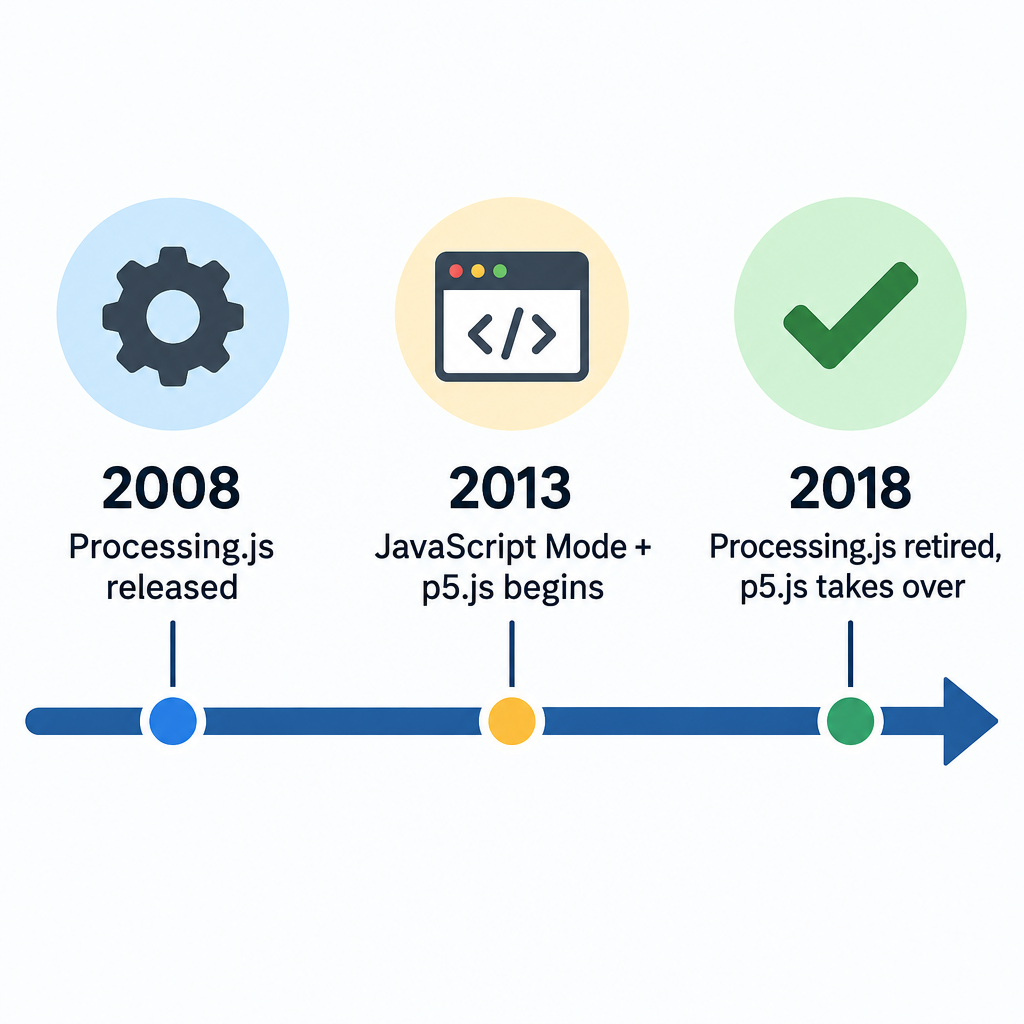
JavaScript Mode arrived with the Processing 2 releases. Processing 2.0 final shipped in 2013. The pitch was simple. You write the same sketch you always write, switch the mode, and it runs in a browser. You did not need Java applets, which browsers were already abandoning.
Processing 3 arrived in 2015, and JavaScript Mode was no longer bundled. It became an optional download through the “Add Mode…” menu. As its underlying library wound down, the mode stopped being maintained. It is not part of a standard Processing 4 install.
How it worked under the hood
Processing.js: the engine
Everything rested on Processing.js. John Resig, the creator of jQuery, released it in 2008. A community of developers kept it going after that, with major work coming from students and faculty at Seneca College in Toronto. Version 1.0 landed in 2010.
Processing.js did two jobs:
- A parser. It read Java-flavoured Processing code and rewrote it as JavaScript. Type declarations like
intandfloatwere stripped, classes became JavaScript constructor functions, andvoid draw()became a plain function. - A runtime. It reimplemented the Processing API (
ellipse(),fill(),PVector,loadImage()and hundreds more) on top of the canvas 2D context. AP3Dsketch used WebGL instead.
What happened when you pressed Run
When we hit Run in JavaScript Mode, the PDE did the following:
- It exported the sketch into a
web-exportfolder inside the sketch directory. - It wrote an
index.htmlpage, copied inprocessing.js, and added our.pdefile(s). - It started a small local web server and opened the page in our default browser.
The browser then loaded processing.js, fetched the .pde source, translated it on the fly, and started the draw loop. Our original Processing code was the thing that shipped. The translation to JavaScript happened in the visitor’s browser every time the page loaded.
Embedding a sketch by hand
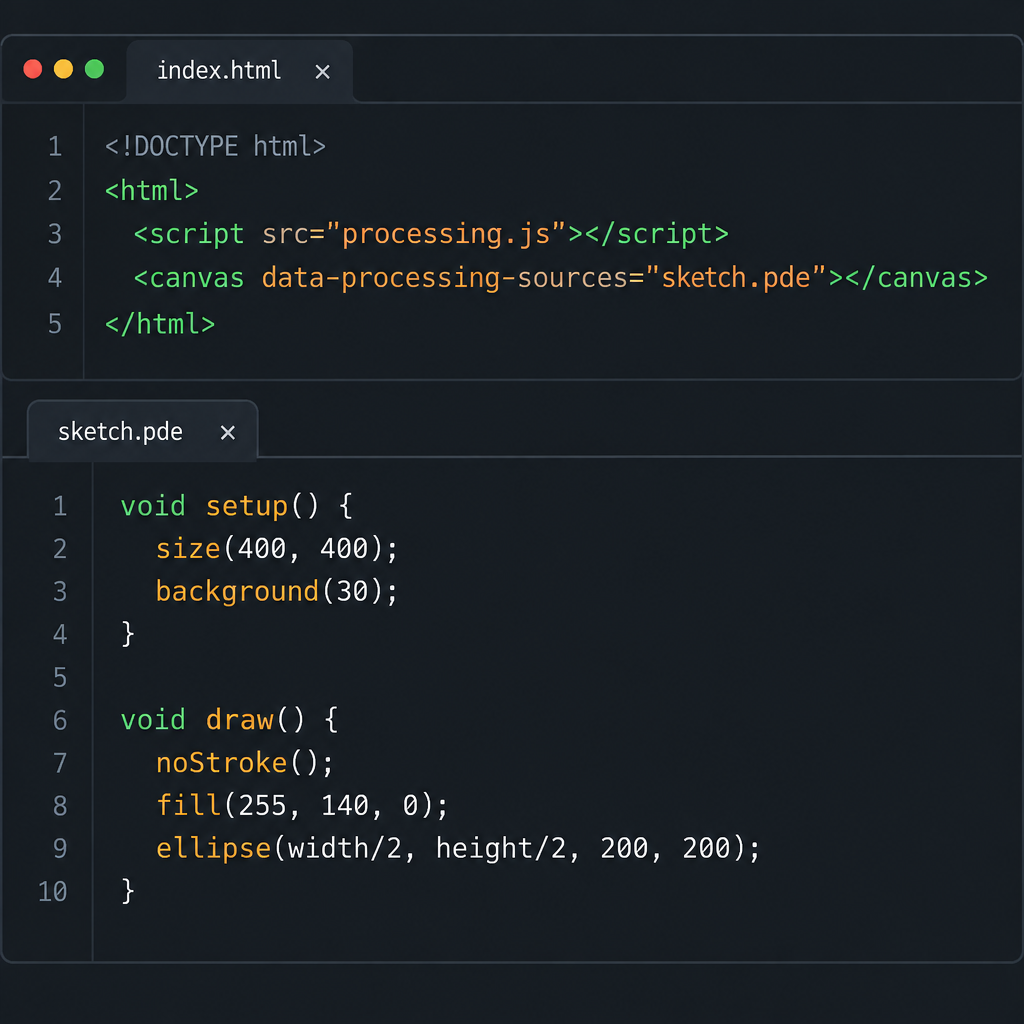
We did not need the PDE to use Processing.js. The usual manual embed was two tags:
<script src="processing.js"></script>
<canvas data-processing-sources="sketch.pde"></canvas>
The data-processing-sources attribute told the library which file to fetch and run on that canvas. The sketch itself was ordinary Processing:
void setup() {
  size(400, 400);
}

void draw() {
  background(20);
  fill(255, 120, 0);
  ellipse(mouseX, mouseY, 40, 40);
}
There was also a “pure JavaScript” route that skipped the parser entirely:
function sketchProc(p) {
  p.setup = function () {
    p.size(400, 400);
  };
  p.draw = function () {
    p.background(20);
    p.ellipse(p.mouseX, p.mouseY, 40, 40);
  };
}

var canvas = document.getElementById("myCanvas");
var instance = new Processing(canvas, sketchProc);
If that pattern looks familiar, it should. It is close to what p5.js now calls instance mode.
The gotchas that tripped people up
A Java program and a JavaScript program follow different rules. Processing.js papered over most of the gap, but some errors kept appearing on forums year after year.
- Name collisions. Java lets a variable and a function share a name. JavaScript cannot. A sketch with
float sizeand asize()call could break in the browser while running fine in Java mode. - Integer division. In Java,
7 / 2with two ints gives3. JavaScript only has one number type. The fix was an explicit cast such asint(7 / 2)anywhere we relied on whole numbers. - Loading files. Browsers load images asynchronously, so
loadImage()insetup()could return before the pixels existed. Processing.js added a comment directive to fix it:/* @pjs preload="photo.jpg"; */at the top of the sketch. Fonts had a similar@pjs fontdirective. - No Java libraries. Minim, ControlP5, the Video library and anything else built on Java simply could not run. Sketches that talked to serial hardware, like many Arduino projects for artists and interactive installations, had to stay in Java mode.
- File output. Functions that write to disk, like
saveStrings()orcreateWriter(), had no real home in a browser sandbox. - Speed. Heavy
loadPixels()work ran noticeably slower than in Java on the hardware of the time.
Studio tip
If you inherit an old browser sketch that behaves strangely, check for a variable and a function sharing a name first. It is the most common silent bug from that era.
Why it was retired
Several things pushed JavaScript Mode aside at once.
First, translating Java syntax in the browser was always a compromise. Every new Processing feature had to be mirrored in the parser and the runtime. The small volunteer team could not keep pace.
Second, the web itself changed. JavaScript got classes, let and const, and good developer tools. Writing JavaScript directly stopped feeling like a downgrade.
Third, the Processing Foundation backed a new project built for the web from day one. Lauren McCarthy started p5.js in 2013 and it reached its first release in 2014. Once p5.js matured, there was little reason to keep a translation layer alive. By late 2018 the Processing.js maintainers had declared the project finished and pointed people to p5.js.
What replaced it
p5.js
p5.js is the direct successor. It keeps Processing’s core idea: a setup() that runs once, a draw() loop, and a friendly drawing API. But we write it in plain JavaScript. No parser sits between our code and the browser, so standard debugging tools, npm packages and other web libraries all work. Version 1.0 arrived in 2020, and p5.js 2.0 followed in 2025. It is free and open source.
For a deeper look at why the art community moved over, our article on what p5.js is and why artists love it covers the history and the culture around it.
The p5.js Web Editor
The other half of JavaScript Mode’s job was convenience: press Run, see it in a browser. The free p5.js Web Editor covers that now. It runs entirely in the browser with no install, saves sketches to an account and shares them with a link. In practice, this is where most people who once used JavaScript Mode ended up.
There was also briefly a p5.js mode for the Processing desktop editor. It never became the main way people worked, and the Web Editor took over.
Processing.js still running at Khan Academy
One big deployment never left. Khan Academy’s computer programming courses are built on Processing.js. Millions of students have learned to draw with ellipse() and rect() there without knowing a retired library is underneath. That is why Processing.js code still turns up in search results today.
Heads up
Code copied from Khan Academy, old blog posts or AI assistants often mixes Processing.js and p5.js syntax. With vibe coding tools in particular, check whether you got size() or createCanvas() before you debug anything else.
Porting an old JavaScript Mode sketch to p5.js
Most sketches move over in under an hour. The changes are mechanical. Here are the swaps we make most often.
| Processing / JavaScript Mode | p5.js |
|---|---|
size(400, 400); |
createCanvas(400, 400); |
void setup() |
function setup() |
int x = 0; / float y; |
let x = 0; / let y; |
PVector v = new PVector(1, 2); |
let v = createVector(1, 2); |
ArrayList<Ball> balls |
let balls = []; |
pushMatrix() / popMatrix() |
push() / pop() |
println(x); |
print(x); or console.log(x); |
/* @pjs preload="a.jpg"; */ |
loadImage() inside preload() (1.x) |
size(400, 400, P3D); |
createCanvas(400, 400, WEBGL); |
Quick steps: port a sketch to p5.js
- Paste the .pde code into a new Web Editor sketch.
- Replace size() with createCanvas().
- Change void and typed declarations to function and let.
- Swap PVector and ArrayList for p5 equivalents.
- Move file loading into preload().
- Cast divisions with int() where needed.
Two traps need extra attention. In p5.js 1.x, the WEBGL renderer puts the origin at the centre of the canvas, not the top-left. And noise() behaves like Processing’s, so code from any Perlin noise tutorial written for Processing ports directly.
A side note on JavaScript strict mode
Many people searching “mode javascript” mean something else: JavaScript strict mode. It sits close enough to p5.js work that it is worth a short explanation.
Strict mode is an opt-in set of rules that make JavaScript fail loudly instead of silently. We enable it by putting the string "use strict"; as the first statement of a script or a function. Code inside ES modules and class bodies is strict automatically.
Under strict mode:
- Assigning to an undeclared variable throws a
ReferenceErrorinstead of quietly creating a global. - Using
deleteon a non-configurable property throws an error instead of failing silently. - Duplicate parameter names in a function are a syntax error.
thisinside a plain function call isundefined, not the global object.
For creative coders, the first rule is the big one. Forget let inside a loop and normal JavaScript creates a stray global that can corrupt other parts of the sketch. Strict mode stops the program and points to the line. Every class we write in a p5.js sketch already follows these rules.
p5.js global mode works fine with "use strict"; in a classic script. Top-level function setup() declarations still become properties of window, which is how p5 finds them. The thing that breaks global mode is loading the sketch with <script type="module">. Module functions are not global, so p5 cannot see setup() or draw(). If we want modules, we switch to instance mode, the descendant of that old new Processing(canvas, sketchProc) pattern.
FAQ
Can I still use JavaScript Mode in Processing 4?
Not as a supported feature. It is not bundled with Processing 4, and the contributed mode has not been maintained since Processing.js ended. Use p5.js instead.
Will my old Processing.js sketches still run?
Usually, yes. Processing.js is just a JavaScript file and a canvas, and browsers still support both. It simply receives no fixes or new features.
Is p5.js the same as Processing?
They share ideas and the same foundation, but p5.js is plain JavaScript written for the browser. Processing is Java-based and runs on the desktop. Many function names match, but syntax and libraries differ.
Is p5.js free?
Yes. p5.js, Processing and the p5.js Web Editor are all free and open source.
Should I use strict mode in my p5.js sketches?
We recommend it for anything beyond a quick test. It catches typos in variable names immediately, and it costs nothing in global mode.
Try it live
This is a classic Processing-style bouncing ball sketch, written in p5.js. The comments show what each key line looked like in the old Processing and JavaScript Mode syntax. Click the canvas to add balls.
"use strict"; // strict mode: undeclared variables now throw errors

// A Processing-style sketch translated to p5.js.
// Comments show the old Processing / JavaScript Mode version.

let balls = []; // Processing: ArrayList<Ball> balls = new ArrayList<Ball>();
const MAX_BALLS = 200; // keep the frame rate smooth

function setup() {
  // Processing: void setup() {
  createCanvas(600, 400); // Processing: size(600, 400);
  colorMode(HSB, 360, 100, 100, 100);
  noStroke();
  for (let i = 0; i < 40; i++) {
    // Processing: for (int i = 0; i < 40; i++)
    balls.push(new Ball(random(width), random(height)));
  }
}

function draw() {
  // A translucent background leaves soft trails behind each ball
  background(240, 40, 12, 25);

  for (let b of balls) {
    b.update();
    b.show();
  }

  // On-screen label
  fill(0, 0, 100);
  textSize(14);
  text("Click to add balls  |  count: " + balls.length, 12, 24);
}

function mousePressed() {
  // Same function name in Processing, but declared with void
  if (balls.length < MAX_BALLS) {
    balls.push(new Ball(mouseX, mouseY));
  }
}

// Processing: class Ball { PVector pos, vel; float r; ... }
class Ball {
  constructor(x, y) {
    this.r = random(6, 18);
    // Processing: pos = new PVector(x, y);
    this.pos = createVector(
      constrain(x, this.r, width - this.r),
      constrain(y, this.r, height - this.r)
    );
    // A random direction with a random speed
    this.vel = p5.Vector.random2D().mult(random(1, 3));
    this.hue = random(360);
  }

  update() {
    this.pos.add(this.vel);

    // Bounce off the left and right walls
    if (this.pos.x < this.r || this.pos.x > width - this.r) {
      this.vel.x *= -1;
      this.pos.x = constrain(this.pos.x, this.r, width - this.r);
    }

    // Bounce off the top and bottom walls
    if (this.pos.y < this.r || this.pos.y > height - this.r) {
      this.vel.y *= -1;
      this.pos.y = constrain(this.pos.y, this.r, height - this.r);
    }

    // Slowly drift the colour over time
    this.hue = (this.hue + 0.3) % 360;
  }

  show() {
    // Processing: pushMatrix(); ... popMatrix();
    push();
    translate(this.pos.x, this.pos.y);
    fill(this.hue, 70, 95, 90);
    circle(0, 0, this.r * 2); // Processing: ellipse(0, 0, r*2, r*2);
    pop();
  }
}